
Short-form content is moving really fast right now. On TikTok, Instagram Reels, and YouTube Shorts, people decide within seconds whether to keep watching or scroll away. That means creators have to focus on strong hooks, quick cuts, and steady engagement to achieve consistent reach and views.
Because of this pressure, many editors are now switching from traditional editing tools to a smarter AI video editor. Instead of manually trimming clips and adding captions one by one, these tools can automatically pick highlight moments, add subtitles, improve pacing, and even apply stylish text animations in just a few clicks. It saves time and helps creators publish content much faster.
- Fast editing designed for short-form videos
- Auto captions and simple visual effects are built in
- AI helps pick better moments for stronger engagement
In this guide, we’ll look at five tools based on editing quality, ease of use, pricing, and how well their auto-subtitle generator AI systems actually perform.
How Do You Edit Videos Using AI? Automating the Vertical Video Workflow
AI video editing has become significantly easier over the last few years. Tasks that used to take hours — trimming clips, writing captions, reformatting for different platforms — can now be completed in a few steps using automated AI tools.
Step 1: Create Your Script or Content Idea
Every short-form video starts with a clear idea and a strong hook. Most creators leverage AI writing tools to write hooks, outlines, and scripts for short-form videos for TikTok, Reels, and YouTube Shorts.
Popular Tools: ChatGPT, Claude
What It Does: Type in a topic, and the AI helps you write a short, energizing script with a hook for an opening that hooks people.
Step 2: Upload and Clean Your Footage
Once your video recording is done, AI can enhance Audio quality and eliminate common errors on its own.
Popular Tools: Descript, Krisp
What happens: Upload your footage and the AI automatically removes background noise, filler words, long pauses, and unwanted silence. Templates allow you to edit a video by editing the transcript.
Step 3: Convert Videos for Shorts and Reels
The AI tools automate the process of shortening lengthy recordings into one-minute vertical parts suited for social platforms.
Popular Tools: Opus Clip, Adobe Premiere Pro Auto Reframe
What Happens: The software watches faces, keeps subjects centred, and can even detect the best bits of a longer video to make short excerpts.
Step 4: Add Captions and Final Effects
So many people view short-form content with the sound off; captions are critically important.
Popular Tools: CapCut, VEED
What Happens: AI creates automatic subtitles, emphasizes key words and phrases, adjusts captions to be synchronised with the speech in a video, and adjusts background music or sound effects.
For creators publishing on TikTok, Instagram Reels, and YouTube Shorts, AI editing tools accelerate the entire production process — freeing up time to focus on ideas, strategy, and channel growth.
Top Short-Form AI Video Processing Tools
The tools below help creators automate clipping, captions, reframing, and content repurposing for TikTok, Reels, and YouTube Shorts. The table compares the most popular options based on automation features, subtitle accuracy, pricing, and free plan availability.
| Software Name | Core Automation Focus | Subtitle Accuracy % | Monthly Price | Best Free Tier Alternative? |
| Opus Clip | AI clip extraction & viral short creation | ~95% | From $15/month | Yes |
| Veed.io | Auto captions & online video editing | ~95% | From $12/month | Yes |
| Munch | Trend-based clip discovery & repurposing | ~90% | From $49/month | Limited |
| CapCut AI | AI editing, captions & effects | ~96% | Free / Pro from $9.99/month | Yes |
| Klap | Automated short-form video generation | ~93% | From $23/month | Limited |
Also Read: Top 5 AI Story Generators for Fiction Writers (2026 Ultimate Guide)
The 5 Best AI Video Editor Tools for Viral Shorts & Reels
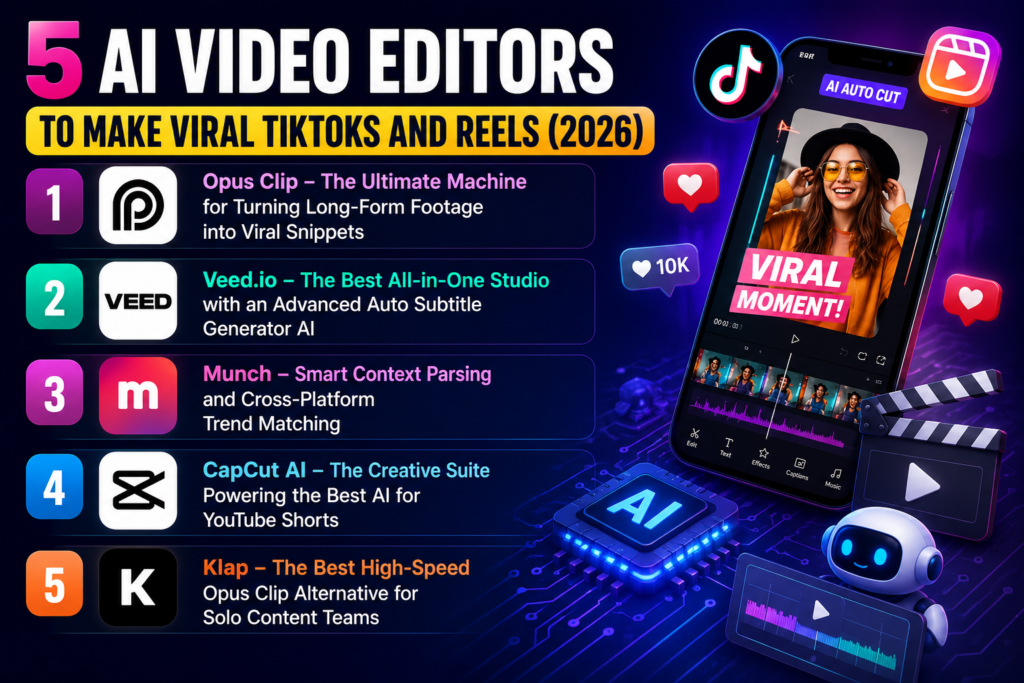
It’s no longer just about finding the fastest clip cutter. The best AI clip-making tools in 2026 can automatically detect viral moments, keep speakers perfectly centred, generate captions, and format videos for platforms like TikTok, Instagram Reels, and YouTube Shorts. Here are five of the strongest options available this year.
1. Opus Clip – The Ultimate Machine for Turning Long-Form Footage into Viral Snippets
Opus Clip is designed to automatically convert podcasts, interviews, and YouTube videos into short-form content. The AI Virality Score considers engagement patterns on the platform and determines which clips are best positioned to go viral.
Feature Focus: AI Virality Score
It analyzes social media engagement patterns to identify high-retention moments and automatically creates short, hook-driven clips from longer content.
Technology: Automated Active Speaker Detection, keeping faces framed centrally in a 9:16 clip
Pros:
- Strong hook detection
- Built-in B-roll overlays
- Auto emoji generation
Cons:
- Free-tier processing can be slow
Pricing: Free plan available with limited credits; paid plans start from ~$15/month
2. Veed.io – The Best All-in-One Studio with an Advanced Auto Subtitle Generator AI
Veed.io combines editing, subtitles, templates, and branding tools into a single platform. Its speech-to-text system delivers accurate captions across different accents.
Key feature: Wide caption style options inspired by the best creators.
Best Used For:
- Promo videos
- Talking-head content
- Training videos
Pros:
- Accurate speech-to-text captions across multiple accents
- All-in-one platform — no need for extra tools
Cons:
- Free plan exports with Veed watermark
- Advanced features locked behind paid plans
Pricing: Free plan available; paid plans start from ~$12/month
3. Munch – Smart Context Parsing and Cross-Platform Trend Matching
Munch helps creators find the most trend-relevant clips from their existing content by analyzing social media performance data. It studies the performance of content and suggests clips that are more likely to have a high level of viewer engagement.
Feature Checklist
✔ Trend-matching dashboard
✔ Automatic keyword generation
✔ Cross-platform publishing tools
✔ AI-powered clip extraction
Pricing: Plans start from ~$49/month; a limited free trial is available
4. CapCut AI – The Creative Suite Powering the Best AI for YouTube Shorts
CapCut remains one of the most popular choices for Shorts and Reels among solo creators and small teams
| Pros | Cons |
| Large template library | Some features require a subscription |
| Mobile and desktop support | Commercial licensing may vary |
| Fast AI captions | Advanced tools have limits |
5. Klap – The Best High-Speed Opus Clip Alternative for Solo Content Teams
Klap is a quick, easy tool for converting long video files into several short clips in just a few clicks.
Feature: In minutes, converts a YouTube video into multiple vertical drafts.
Pros:
- Simple interface
- Fast processing
- Great for solo creators
Cons:
- Fewer editing options
- Less customization
Maximizing Your Short-Form Retention Rates
- Open with your strongest hook immediately. Cut anything in the first 1.5 seconds that doesn’t serve the message — skip generic openers like ‘Hi everyone’ or ‘Welcome back’ entirely.
- Optimize subtitle placement. Most TikTok and Reels or Shorts interface elements populate the middle third of the screen, so keep captions in that space wherever possible.
- Use readable caption styling. Keep text colors high-contrast from the background so the color truly pops.
- Highlight key words visually. Use emojis of relevant topics, numbers, or important keywords in your text to capture attention and boost retention.
- Maintain fast pacing, cut out long pauses, filler words, and scenes that are not helping the viewers stay engaged.
- Add visual changes frequently. Set zooms, B-roll, transitions, or changes of scenes every few seconds — never lose sight.
- Review retention analytics. Identify points where viewers lose interest and tweak future edits according to performance data.
Conclusion: Staying Competitive in the Rapidly Evolving Vertical Video Market
inning on Shorts, Reels, and TikToks in 2026 is no longer just about editing quality — it is about publishing velocity, consistency, and getting more content in front of your audience faster than competitors. AI tools streamline this process by automating clipping, captions, reframing, and other basic edits. The best AI video editor helps you with minimal effort on repetitive editing work so that you can spend your time planning content, trying new things, and making your channels grow.
Get Started with an AI Video Editor: Start with the free plans from Opus Clip or Veed.io — upload a long-form video and within minutes, you will have several short clips ready to publish on TikTok, Instagram Reels, or YouTube Shorts.
Looking for free AI art tools? Top 5 AI Music Generators for YouTubers (No Copyright Concerns)
Frequently Asked Questions (FAQs)
1. Can AI video editors replace a human editor?
Not fully. AI can speed up cutting, captions, and basic edits, but humans are still needed for storytelling, creative decisions, and final polish.
2. What is the most budget-friendly AI TikTok editor?
CapCut is usually the best free option, while tools like Veed.io and Opus Clip also offer affordable starter plans.
3. Do AI editors automatically format for TikTok, Reels, and Shorts?
Yes, today most AI-based editors automatically convert your videos to the correct vertical format and adjust captions, framing, and aspect ratios for each platform for you.
4. Which tool should I use if I don’t have raw footage?
InVideo AI is perfect for this as it can create entire videos from just a text prompt, including script, visuals, and voiceover.
10 Responses