
Copyright claims are one of the most stressful parts of being a YouTuber. A single background track can trigger Content ID, block monetization, or even take down a video you worked hard on. That’s why many creators are now switching to safer, AI-generated music instead of relying on risky third-party libraries.
Today’s tools are much more advanced than simple looping beats. A modern ai music generator can create full, studio-quality tracks just from a simple text idea. It can handle mood, tempo, chord flow, and even break music into usable stems, making it much easier for video editors to customize sound without copyright issues.
- Create original music for any video style in seconds
- Avoid Content ID strikes and copyright problems
- Get full control with downloadable stems for editing
In this guide, we review the top 5 platforms based on sound quality, ease of use, licensing safety, and how well they work for YouTubers.
Also read: InVideo AI Review: Create Faceless YouTube Videos in Minutes (2026)
The Legal Realities of Generative Audio: Can I Monetize AI-Generated Music?
Whether you can monetize AI-generated music comes down to the rules of the platform you’re using and the licensing agreements that come with it. YouTube and Spotify are among the big players in this space, and the key distinction between them is the difference between free-use tools and commercial license tiers.
Free versions typically only allow personal or experimental use, so using the outputs to generate revenue is illegal. On the other hand, AI music generators’ paid plans typically include commercial rights, so users can monetize those tracks in videos, ads, or even streams. YouTube allows AI-generated music in monetized videos, provided it meets content policy guidelines and is not mass-produced spam. Spotify also permits AI music, but only when proper distribution rights are secured through an approved licensing channel.
Most modern AI music platforms are designed to generate unique audio structures that are unlikely to trigger Content ID matching — reducing copyright conflicts at a technical level. Legal ownership matters more than the sound structures themselves. Knowing who owns the master rights of the sounds—whether it’s the user or the platform—can help protect your digital income and prevent issues with royalties or reuse.
Monetization Safety Snapshot
- Free Tier: Usually for personal use only; limited or no commercial rights
- Paid Tier: Usually full commercial licensing and monetization rights
- Risk Factor: Low Content ID match risk; ownership rules vary by platform
- Best Practice: Check master rights ownership before commercial use
Top Legal AI Music Generation Engines
Creators are using AI music tools to make background music for videos, podcasts, and other creative endeavors. The tools have different sounds and styles, and their free and paid tiers have different licensing rights and export flexibility.
| Software Name | Best Sonic Niche | Export Format Options | Commercial License Included? | Best Free Trial Tier? |
| ElevenLabs Music | Emotional vocals & AI songs | MP3, WAV | Yes (paid plans) | Limited free trial |
| SOUNDRAW | Background & royalty-free music | MP3, WAV, stems | Yes | Free preview mode |
| AIVA | Cinematic & orchestral scoring | MP3, MIDI, WAV | Yes | Free tier available |
| Beatoven.ai | Mood-based background music | MP3 | Yes (paid plans) | Free credits |
| Mubert | Infinite streaming background audio | MP3 | Yes | Free plan available |
The 5 Best AI Music Creator Platforms for Video Producers
Music generation software is rapidly becoming an integral video production tool. Stock music libraries and licensed soundtracks may soon be a thing of the past as video editors increasingly leverage these tools to generate music playlists and soundtracks tailored to the desired mood and feel.
Below is a list of modern AI music generators that produce songs based on a variety of parameters, and their differentiators (e.g., realism of generated vocals, flexibility of arrangement, audio quality).
1. Suno AI – The Industry Standard for Complete Lyric & Vocal Music Generation
Suno AI uses text prompts to generate complete songs, fully structured with vocals and accompaniment. Unlike simpler AI tools, Suno understands full song structure — generating verse hooks, choruses, bridges, and outros across a wide range of musical genres.
You can also control structure by adding section-specific prompts or inputting your own lyrics directly into the generation workflow.
Feature Focus: Suno AI’s vocal generation adapts to the song’s structure — adjusting delivery, timing, and tone to match each section naturally.
Pros:
- Strong understanding of song structure
- Wide genre coverage (pop, metal, synthwave, etc.)
- Fast generation speed
Cons:
- Music generated in the free version is not for commercial use.
- Pricing Plans: Paid versions start at around $10 per month.
2. Udio – The Ultimate Suno AI Alternative for Cinematic Audiences
Udio specializes in high-quality instrumental and cinematic music. Its rich sound layering makes it particularly effective for video background scores where depth and atmosphere matter.
Its track extension tool helps turn short clips into full-length compositions with smooth transitions and consistent mood.
Standout Feature: Tracks can be remixed via audio input and edited with text prompts.
Pricing: Free credits on signup; paid plans start from ~$10/month
3. Soundraw – Best for Creators Who Want Manual AI Beat Control

Soundraw gives creators precise manual control over their AI-generated music — something most other platforms do not offer. Unlike other AI music generators, Soundraw provides a structured interface, giving the user the ability to edit the music as they see fit via tempo, energy, and arrangement.
Feature Checklist
✔ Control stems and/or silence as desired
✔ Set energy of the piece (low/high)
✔ System of copyright-free music
4. Mubert – Designed for High-Speed API Scaling and Adaptive Live Streams
Mubert specializes in background music generation, making high-volume music production great for streamers, apps, and long-form content.
| Pros | Cons |
| Endless royalty-free loops | Limited for vocal-heavy songs |
| Great for live streaming | Less control over traditional composition |
| Fast generation via API | Not great for music with lyrics |
5. Beatoven.ai – Best Free AI Music Maker for Content Creators & Vloggers
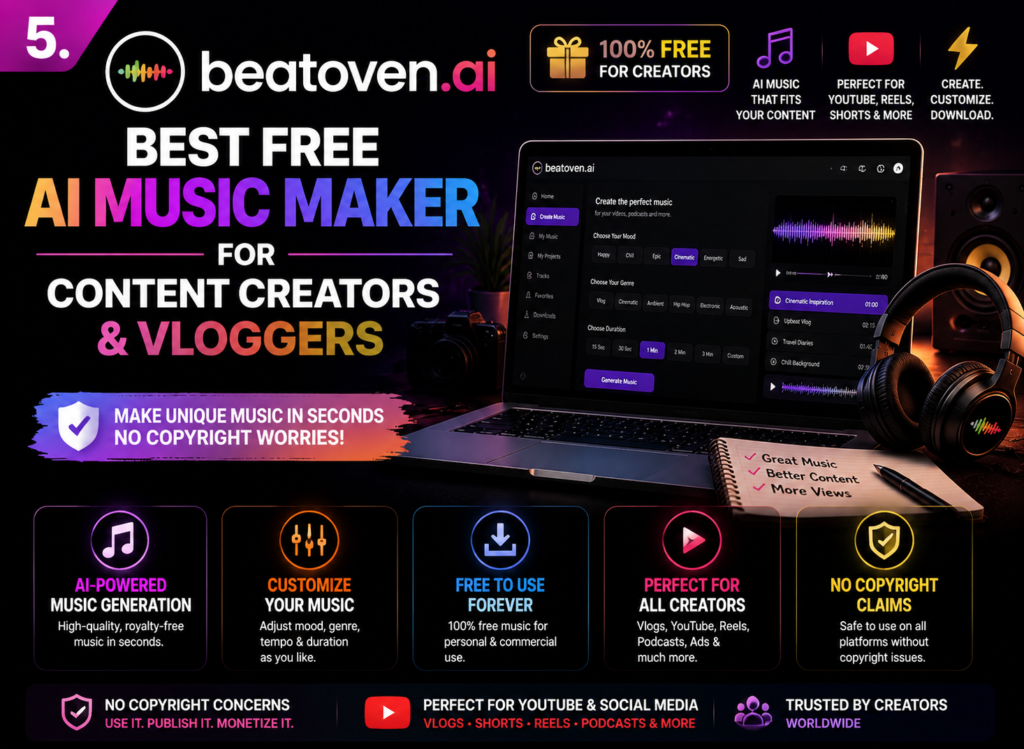
Using a mood-based system, Beatoven.ai allows you to generate background music based on various emotions, such as happy, tense, and inspired.
It’s aimed at the novice user who needs a background score without the need to do any music production themselves.
Feature: User-friendly, unmusical interface for scoring in background music.
Want to create stories with AI? Read our Top 5 AI Story Generators for Fiction Writers (2026 Ultimate Guide)
How to Craft the Perfect Prompt for Audio Generation
- Always describe specific instruments rather than vague emotions. Instead of typing ‘sad music,’ try something like: ‘acoustic guitar, slow Rhodes piano, soft bassline, and light vinyl crackle.’ This gives the AI a precise sonic direction and produces far more usable results.
- Add detailed tempo and energy notes so the groove remains firmly in place. e.g., 90 BPM chilled lo-fi beat or 120 BPM high energy house groove with a punchy drop, etc. That way, the track is matched to the tempo that you have in mind.
- Integration of any spatial and production environment related to the sound that went through before recording. You can specify clean studio mix, stadium reverb style, or vintage 1980s analog tape saturation. Such cues determine depth, ambient space, and overall audio texture, leading to a more polished output.
Faqs
1. What are the top 5 AI music generators?
Suno, Udio, Soundraw, Mubert, and Beatoven.ai are some of the popular tools right now. This includes anything from regular vocal songs to background audio for videos, and even podcasts.
2. Can AI songs get monetized on YouTube?
Yes, but a lot depends on the license. You can monetize if you are on a paid plan that includes commercial rights. Typically, free plans have limitations, or you can not monetize your content, so read the terms of the respective platform.
3. What is better, Udio or Suno?
Suno is best for full songs with vocals and can generate complete tracks quickly. Udio offers better cinematic sound quality and more control over song structure, making it ideal for polished instrumentals.
4. Which AI music generator doesn’t care about copyright?
No legitimate AI music tool ignores copyright rules. Instead, platforms like Soundraw and AIVA focus on royalty-free or licensed outputs, so you can safely use the music commercially without legal issues.
Conclusion: Owning Your Sonic Identity with Copyright-Free AI Music
Creating music for your videos has never been more accessible. AI tools have removed the barrier of studio time and technical skills — allowing any creator to produce original, professional-sounding tracks from a simple text prompt.
Clean sound quality and safe commercial use are the most important things about a good AI music generator. This gives you the freedom to grow your channel without fear of copyright issues or monetization restrictions. Your workflow becomes a lot easier with the right quality and safety balance.
Try Suno AI or Soundraw today on their free plans — type a simple video idea as your prompt and hear a custom track generated in under a minute.