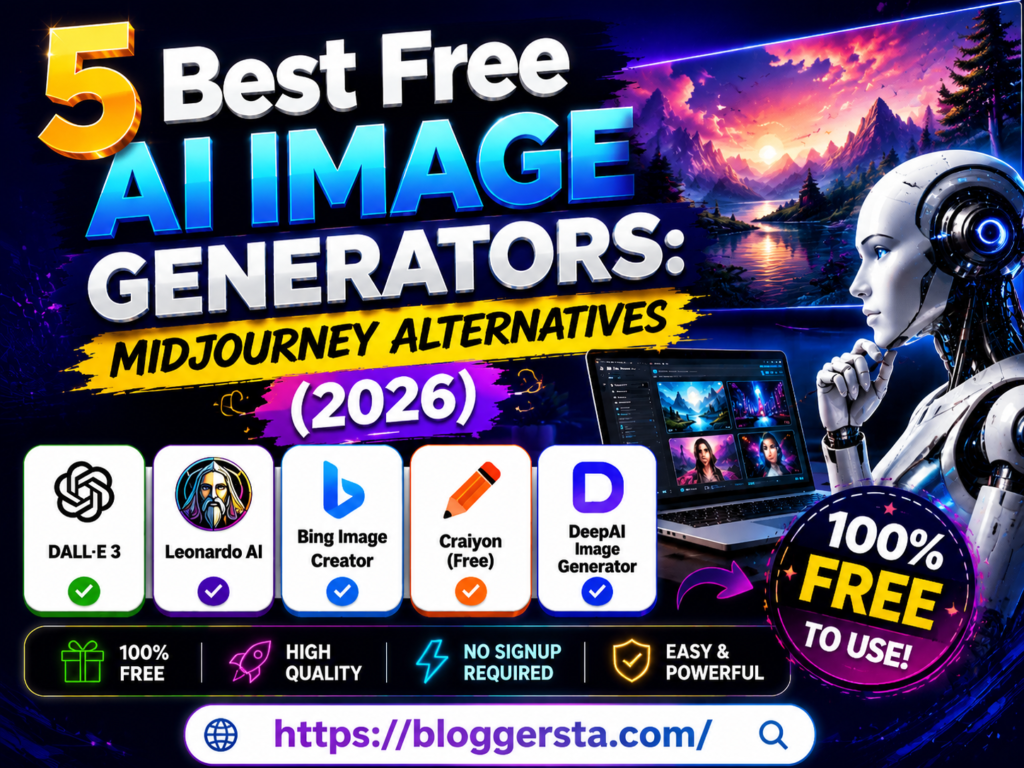
Creating amazing AI artwork is easier than ever, but many people get frustrated with Midjourney’s paid plans and Discord-based setup. If you’re a blogger, designer, or content creator, you may want a tool that is easier to use and doesn’t require a monthly subscription just to generate a few images.
Thankfully, there are now several powerful free AI image-generation tools that can create realistic photos, illustrations, social media graphics, and digital art in just a few seconds. Many of them offer fast image generation, easy prompt controls, and free access for beginners. Some even produce results that come surprisingly close to Midjourney’s quality.
- Create AI images for free with no design experience
- Generate realistic photos, artwork, and graphics in seconds
- Discover simple alternatives to Midjourney that anyone can use
In this guide, we’ll review the 5 best free AI image generators based on image quality, speed, ease of use, commercial use options, and overall value as a Midjourney alternative.
Understanding Text to Image AI: How Free Image Generators Compare to Premium Tools
A few years ago, creating high-quality AI artwork of any quality was typically something that required paying for top-notch devices like Midjourney. Not the case today. The technology behind free AI image generators is relatively the same, making it possible to achieve amazing outcomes with great ease, which can be applied to blog graphics, social media posts, marketing visuals and digital artwork.
1. The Technology Behind AI Image Generation
Most AI image tools are built on diffusion models — the core technology behind almost every major image generator available today. It begins with random visual noise, and the AI manipulates that noise into an image based on your prompt throughout numerous iterations. Essentially, the more detailed your prompt, the better.
Modern systems also use advanced language models that understand prompt details including:
- Subject and objects
- Art style
- Lighting and colors
- Mood and atmosphere
- Camera angles and composition
2. Why Free Tools Can Compete with Premium Platforms
Many free platforms actually run on very powerful open-source models like Stable Diffusion, Flux and other new image engines. The quality gap between free and paid AI image tools has decreased considerably as open-source models have become more powerful.
The tool itself is often not the most important factor — the quality of your prompt matters more. Good prompts can enable free generators to produce images that on the surface look quite similar to the premium results.
3. Popular Free Alternatives
| Tool | Best Feature | Free Access |
| Bing Image Creator | Easy to use and beginner-friendly | Free with a Microsoft account |
| Leonardo AI | Ideal for custom gaming-art and designs | Daily free tokens |
| Google ImageFX | High-quality image generation | Free with a Google account |
| Ideogram | Excellent text rendering in images | Free daily generations |
4. When to Use Free vs Premium Tools
If you want to test out ideas, generate blog graphics, social media posts and overall just play around with different styles then AI image generators free are the best. Premium tools still have their benefits from the perspective of professional branding, consistency in characters, and large-scale commercial projects.
But for most creators, the type of power available from free AI image generators today is more than enough to make professional-looking visuals without paying a monthly fee.
Top Zero-Cost Image Generation Models
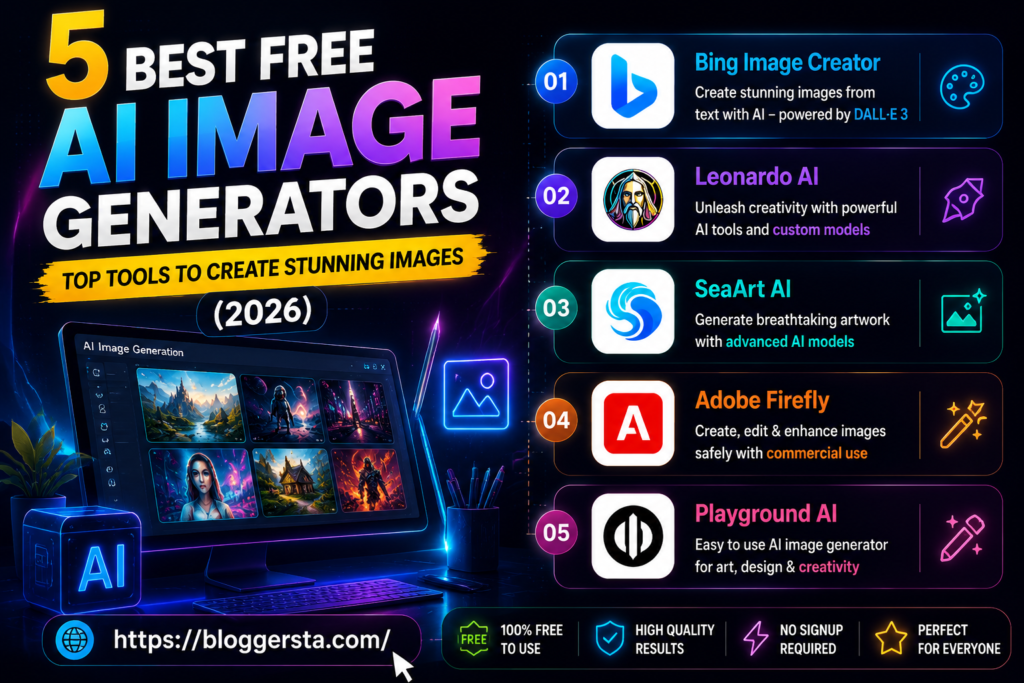
Free image generation tools have become powerful enough to rival paid platforms in terms of quality visual, text rendering, and creativity. Zero-cost models can be readily leveraged to create designs, blogs, and social media content without upfront investment.
| Software | Core Engine | Daily Free Limit | Text Rendering | Commercial Rights? |
| Bing Image Creator | DALL·E 3 | Daily credits reset | Excellent | Yes (free) |
| Leonardo AI | Multi-model diffusion | Daily free tokens | Very Good | Yes (freemium) |
| SeaArt AI | Stable Diffusion | Free community access | Moderate | Platform-dependent |
| Adobe Firefly | Adobe’s licensed model | Free monthly credits | Good | Yes (commercial safe) |
| Playground AI | Diffusion-based | Up to 500/day free | Moderate | Yes (free tier) |
Reviewing the 5 Best Midjourney Alternative Solutions
Midjourney raised the bar for AI image generation, but there are a number of alternatives that now offer similar or even better degrees of flexibility depending on your workflow. Here, we dissected the best of them by prompt pickiness, stylistic diversity, and creativity limitations so you can make an informed decision when selecting a model that suits your designs.
Also read: 7 Best AI Writing Tools for Bloggers (Tried & Tested).
1. Bing Image Creator (Microsoft Designer) – Powered by DALL·E 3
Bing Image Creator is powered by OpenAI’s DALL·E 3 model, which means it handles both simple and complex prompts with impressive accuracy. The results are detailed, colourful, and consistently high quality — all available completely free
What sets you apart: Conversational prompt refinement through Microsoft Copilot integration — allowing you to adjust and improve results through natural follow-up instructions.
- Pros: Amazing text rendering, rich colour quality, free to use
- Cons: Limited aspect ratio options — most outputs default to square format, which may require cropping for social media or blog use
- Pricing: Free daily credits that reset in 24 hours
2. Leonardo.ai – The Ultimate Professional Midjourney Alternative for Asset Design
Leonardo AI is also adopted largely among designers, developers and game artists due to their wide customizable options. Facilitates users to steer models and image generation at a lower level — if you plan on creating consistent assets, this is the option for you.
You can also edit or extend parts of an image using its built-in canvas tools, which gives you more control than most free platforms.
- Standout Feature: Custom LoRA models for anime, cinematic, and 3D design styles
3. SeaArt AI – Massive Community Model Library with Zero Cost Barrier
SeaArt AI gives creators access to one of the largest community model libraries built on Stable Diffusion. With thousands of artistic styles available for free, it is particularly popular among anime artists, illustrators, and creators who want maximum stylistic variety without paying for a premium subscription
Feature Checklist:
- Built-in image upscaling tools
- Face enhancement filters
- One-click background removal options
4. Adobe Firefly (Free Tier) – Safe for Commercial Use
Adobe Firefly targets the professional and enterprise-level users who are concerned with the legal side of things. Because it is trained on licensed stock data, it is one of the safest apps for commercial use.
| Pros | Cons |
| Legally safe for business use | Strong content restrictions |
| High-quality design output | Limited creative freedom compared to open models |
| Easy Adobe ecosystem integration | Some features are locked behind a subscription |
5. Playground AI – Best Free Canvas-Based Image Editor
Playground AI is a canvas-based image creation tool that lets users arrange and generate multiple AI images in a single workspace. It is particularly useful for creators building mood boards, poster layouts, or concept designs that require multiple images working together visually
- Standout Feature: Up to 500 free image generations per day for casual users
Commercial Legal Realities: Can You Use AI Art Commercially?
Yes, it’s possible to use AI art commercially. However, it depends on the license and how the content is created on the platform. Most tools allow their paid users to sell the outputs, but users do not have legal ownership or copyright.
Key points to understand:
- Copyrights: Purely AI-generated images cannot be copyrighted in most countries because there is no human author involved in the creation.”
- Human input matters: If you edit the AI images or merge the images along with your other creative work, you can copyright the image.
- Platform rule: The paid plan allows you to use it for business, and the free plan does not allow business use.
- Risk: AI can generate similar logos, brands, or styles, leading to copyright risks.
- Best: Check the tool’s license and do not use AI images to create a brand that can be copyrighted.
Production Checklist: How to Structure a High-Fidelity Image Prompt
Creating impressive AI-generated images relies on two elements: composing the request and structuring the prompt. A well-structured prompt leads to improved performance and accuracy of AI outputs for the subjects, the styles, the lighting and their overall appearance.
1. The High-Fidelity Prompt Framework
Structure your prompt so the most important elements come first — subject and framing at the start, with stylistic and technical details toward the end. The following should be included in this order:
- Subject & Framing: State your shot type and main object (e.g., close-up portrait, wide landscape).
- Environment: Provide a detailed description of pertinent background settings.
- Camera Style: Describe the lens, angle, and type.
- Lighting: Mention your light source (e.g., golden hour, studio light, soft shadows).
- Mood & Style: What is the tone? Cinematic? Warm? Dramatic?
- Technical Details: Mention any model settings or aspect ratios.
2. Best Practices Checklist
- Start with the most important subject first
- Descriptions should be in a clear and natural order.
- Avoid subjective language (ex. ‘nice’ or ‘beautiful’
- When including text in an image, keep it short and readable.
- When generating multiple images for the same project, maintain consistency.
Faqs
1. Which AI image generator is best for beginners
Tools such as Copilot DALL·E (which are ChatGPT-based tools) and Bing Image Creator exist as beginner-friendly programs. There are few to no complex instructions, and beginner users can use these with simple prompts.
2. Is there a completely free AI image generator with no limits?
Yes, some free generators like Perchance AI offer image generation with no strict limits. If you are looking for high-quality generators with higher amounts of control, you will need to pay for those.
3. Which AI generator is the safest for commercial/client work?
The safest choice for commercial work is Adobe Firefly. It is trained on licensed data. Because it was created for commercial work, it offers safe legal use.
4. What is the best Midjourney alternative for adding text to images?
Ideogram AI is the leading tool for accurately generating text in images, such as logos, posters, and banners.
5. Which is the absolute best free overall Midjourney alternative?
Leonardo AI is the current leading Midjourney alternative and is free to use.
Also read: How to Bypass AI Detection: 5 Free AI Text Humanizers (Tested & Ranked).
Conclusion: Elevating Your Visual Brand via Zero-Cost Text to Image AI
Free AI image generation has genuinely levelled the playing field. Bloggers, marketers, and independent creators can now produce professional-quality visuals without design software, stock photo subscriptions, or monthly AI fees.”
There is a variety of the best free AI art generators to choose from, catering to different needs. While some prioritize a quicker turnaround, others are able to provide detailed images or allow for more control over image placement. The best results are achieved by aligning a tool’s features with the particular style of your content.
For a hands-on example, go to either Bing Image Creator or Leonardo AI, enter a blog idea into the prompts, and generate a relevant image to accompany your idea in a matter of seconds.