
Every designer knows how quickly small editing tasks can pile up. One minute you’re creating a design, and the next you’re resizing files for different platforms, removing backgrounds, fixing image quality, or preparing multiple versions of the same graphic. While these tasks are necessary, they can take up a large part of your workday, leaving less time for the creative side of design.
This is where AI graphic design tools can make a real difference. Many modern tools can handle repetitive jobs such as background removal, image upscaling, raster-to-vector conversion, and basic design edits in just a few clicks. That means you can spend more time developing ideas and less time dealing with manual adjustments. In this guide, we’ll look at five AI design platforms that stand out for their speed, typography features, background editing tools, affordability, and overall design performance.
- Reduce time spent on repetitive editing tasks
- Improve images with AI-powered enhancement tools
- Create design assets faster and more efficiently
Creative Automation: How Is AI Used in Graphic Design?
AI has become a useful part of the design process, providing easier ways to perform various tasks and helping explore new creative ideas. Rather than spending hours on end on the same editing work, AI tools can help designers speed up production so they can focus on the more creative aspects of a project.
- Image Generation: You can generate illustrations, concept art, textures, and visuals for marketing with many AI tools from simple text prompts.
- Layout & Design Suggestions: Some platforms can recommend fonts/colors/, and composition to help designers move more quickly to deliver a polished design.
- Automatic Resize: AI can easily create numerous different sizes of one design for social networks, websites, ads, and other platforms.
- Smart Image Editing: Object removal, background replacement, and image expansion can be done in a few clicks.
- Vector Generation: Using AI, can create vector graphics, logos, and patterns from sketches or ideas.
Benefits of AI in Graphic Design
- Saves Time: Spend hours reducing the time on editing and production.
- Enhanced Creativity: Provides new ideas and design variations.
- Makes Design Easier: Enables anyone (even non-designers or beginners) to create beautiful, professional-quality graphics easily.
Top AI Design Suites at a Glance
AI design suites are using artificial intelligence to provide faster and easier design of work. They can do anything from performing redundant tasks to recommending design tweaks or even creating imagery based on basic directions. This allows designers to focus less on production jobs and more on creative concepts.
| Software Name | Best Structural Feature | Vector Layer Handling | Monthly Pricing | Best Free Alternative |
| Adobe Firefly & Photoshop AI | Professional AI image editing and generative design tools | Excellent vector support through Illustrator | From $59.99/month | Canva Free |
| Canva Magic Studio | Fast drag-and-drop design creation with AI automation | Basic SVG and vector support | From $12.99/month | Canva Free |
| Topaz Gigapixel AI | Advanced AI image upscaling and detail enhancement | No native vector editing | From $99 (one-time purchase) | Upscayl |
| Photoroom | AI background removal and e-commerce image creation | Limited vector support | From $9.99/month | Remove.bg |
| Midjourney v6 | High-quality AI image generation and concept creation | No native vector support | From $10/month | Microsoft Designer |
The 5 Best AI Graphic Design Tools for Creative Teams
A good part of the AI tools for design are not solving the same set of problems. Whereas others are primarily used for image editing, background removal, layout generation, content scaling, or sometimes even high-quality asset production and export.
To help you choose the right solution, we compared five popular AI graphic design tools based on their features, ease of use, workflow integration, automation capabilities, and overall value for modern design teams.
Also read: 5 AI Video Editors to Make Viral TikToks and Reels (2026)
1. Adobe Firefly & Photoshop AI – The Definitive Industry Standard for Pros
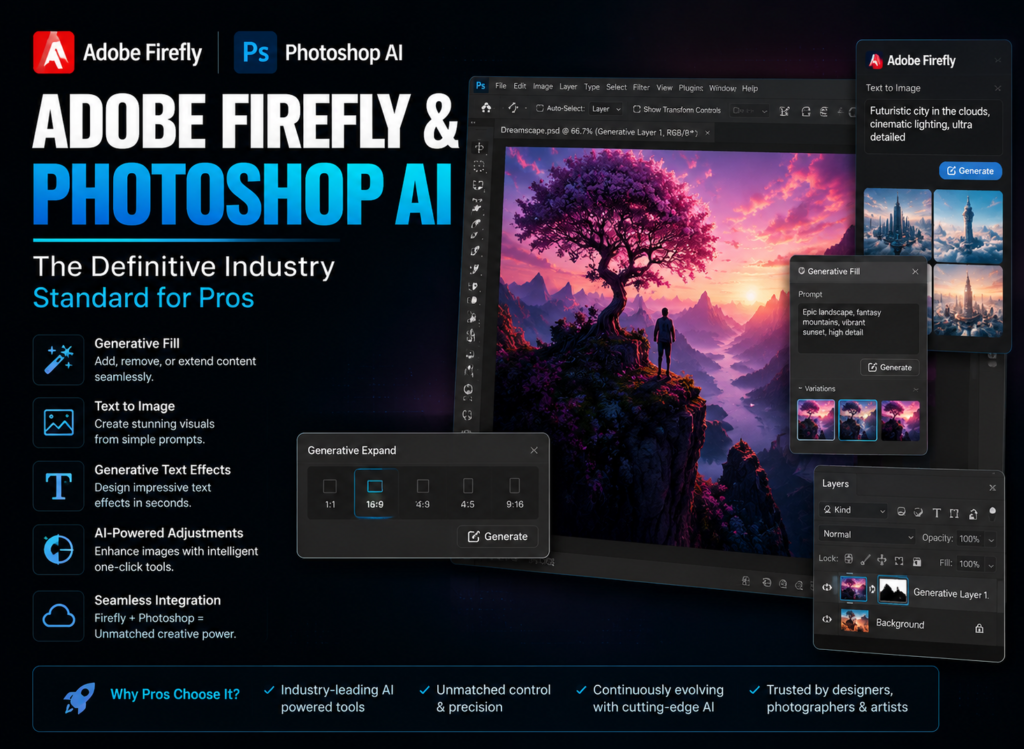
Adobe is one of the most powerful AI design platforms for professional creatives. Generative Fill and Generative Expand are features that enable designers to insert, remove, or replace elements in an image without manually reconstructing the composition. It significantly speeds up photo editing, advertising design, and product visualization workflows.
Adobe also stands out for its ability to generate and match visual styles across projects. Generating and matching visual styles from text, including designs based on typography. It also makes it possible to use it together with Photoshop and Illustrator, the most complete creative ecosystem you can get.
Feature Focus: Generative Fill & Expand
These tools allow designers to expand canvases, swap out objects, remove distractions, and generate fresh content while keeping realistic lighting and composition.
- Killer Feature: Built-in vector recoloring tools with Adobe Illustrator.
Pros:
- Commercial-safe content
- Excellent text rendering
- Deep Creative Cloud integration
Cons:
- Expensive subscription
- Higher learning curve
- Requires powerful hardware
- Pricing: A subscription-based model provided as part of Creative Cloud plans; charges vary depending on chosen applications.
2. Canva – Outstanding Template Scaling Powered by New Canva AI Features
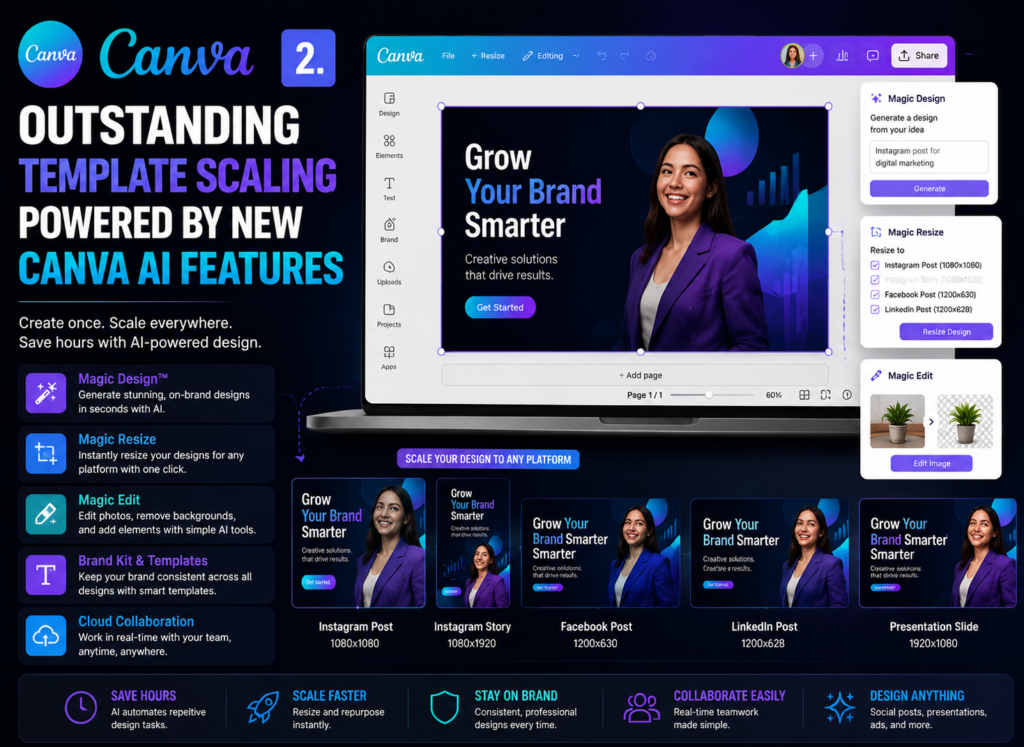
Canva continues to be valued by marketers, content creators, and small business teams. Functions like Magic Studio and Magic Switch allow users to convert one design into multiple formats for various platforms in seconds.
Its text-to-design tools significantly reduce design time by creating presentations, social graphics, and marketing materials from plain written content.
- Highlight: One-click resizing makes it easy to adapt designs for Instagram, TikTok, Facebook, presentations, and print materials. presentation or printing — one-click resizing
- Pros: Simple to use, massive selection of templates, good collaboration tools.
- Cons: Less advanced editing controls, fewer professional design tools than Adobe.
3. Topaz Gigapixel AI – The Absolute Best AI Photo Enhancer for Print & Web
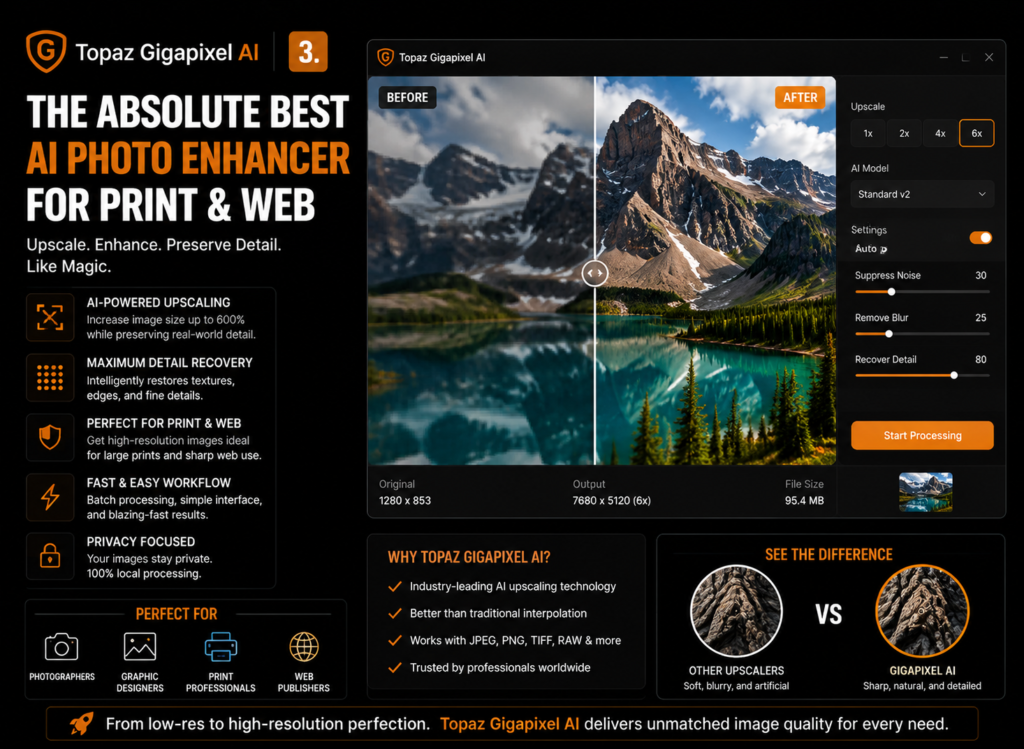
Topaz Gigapixel AI specializes in one thing: enlarging images while preserving detail and improving overall quality. The AI upscaling technology allows low-resolution images to be increased by 600% due to the preservation of detail and sharpness. For this reason, it is particularly relevant to print works, as well as for old images or web graphics that require extended resolution.
Feature Checklist
- AI image upscaling up to 600%
- Micro-shake blur correction tools
- Face recovery and enhancement filters
- Compression artifact cleanup
- Better quality detail restoration where you want to print and large displays
4. Photoroom – High-Speed Background Removal and E-Commerce Mockups
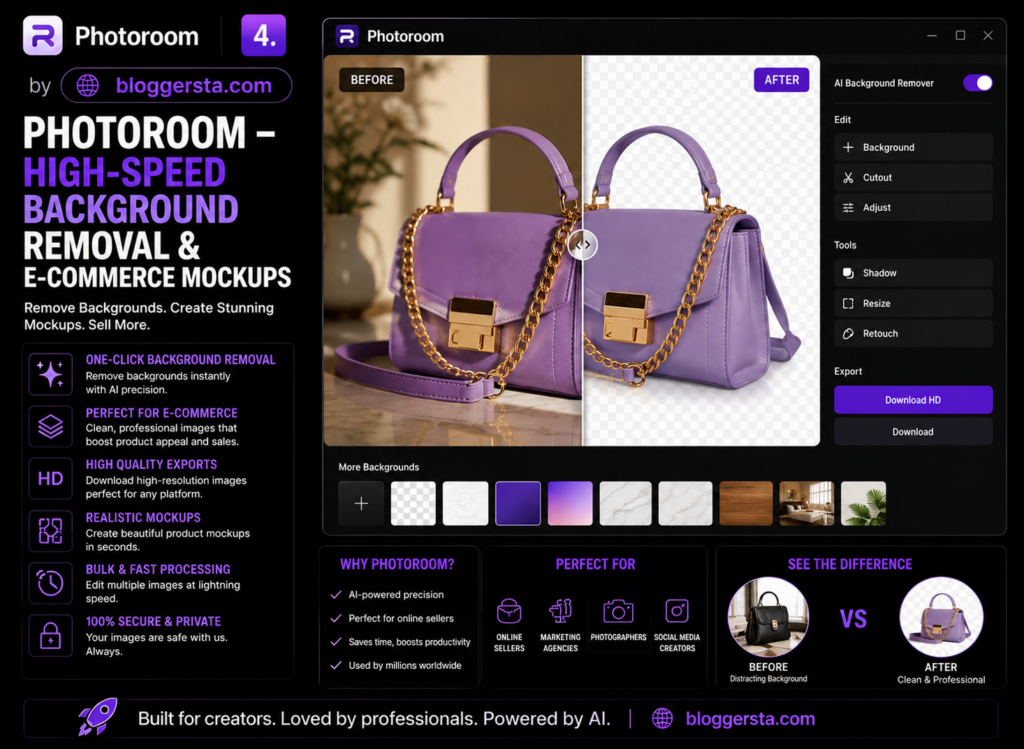
Photoroom is designed for businesses looking for a speedy solution to professional-looking product images. It is used by e-commerce sellers and dropshippers to remove backgrounds and generate impressive, studio-like product shots or website images for marketing purposes without needing to hire photographers.
With its automated workflow, you can process large volumes of images in a fraction of the time it would usually take with your regular editing software.
| Pros | Cons |
| Extremely fast background removal | Limited advanced layout design tools |
| Great for product photography | Not ideal for complex graphic design projects |
| Batch editing support | Fewer customization options than Photoshop |
| Easy for beginners | Limited vector editing capabilities |
5. Midjourney v6 (Vary Region/Web Editor) – Advanced Asset Conceptualization
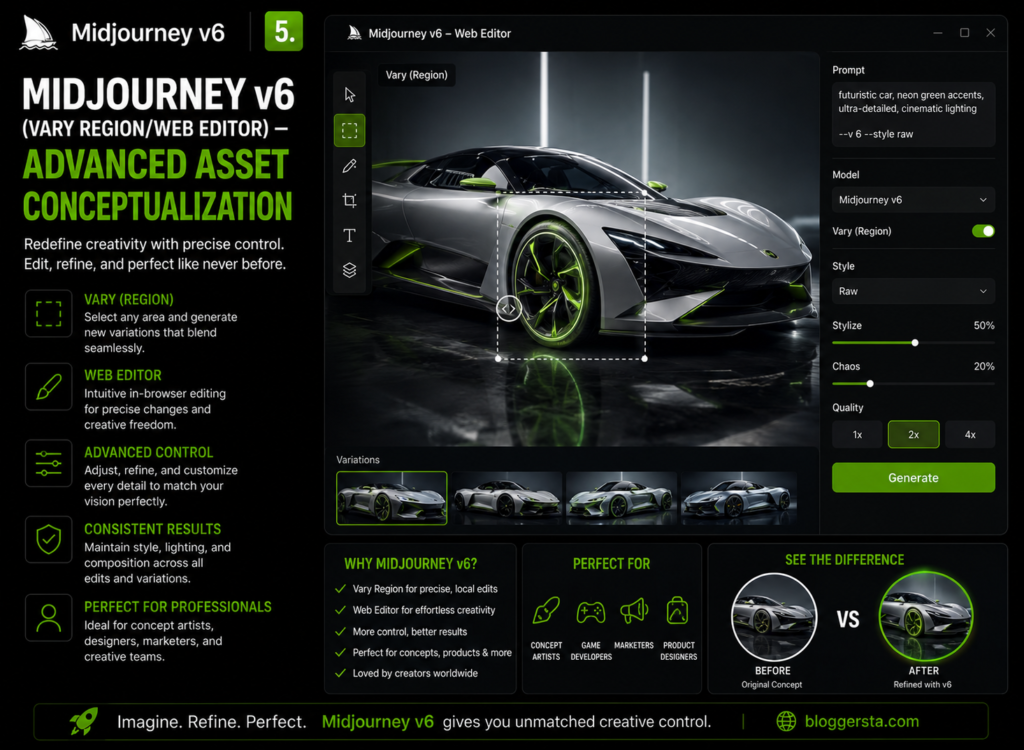
Midjourney v6 is popular among artists and designers who need concept art, branding ideas, packaging visuals, and creative inspiration. creative ideas, packaging and advertising visuals, or website graphics. Instead of manually editing each area individually, designers can simply type a text prompt and modify specific areas of an image using the image’s browser-based editing tools.
Features like Vary Region and inpainting allow designers to experiment with specific parts of an image while maintaining visual consistency. to experiment with solving design problems while keeping the specificity of a consistent visual system.
- Standout Feature: High-quality texture generation for packaging, branding, and web design assets.
- Pros: Excellent image quality, high level of fine control, and intricate textures.
- Cons: Limited control over typography, lack of vector editing tools.
- Pricing Structure: Subscription plans with different limits on the number of images that can be generated.
What Is the Best AI Tool for Designers?
- Adobe Firefly creates the perfect symbiosis with Photoshop and Illustrator. It also produces commercially safe AI content for branding, advertising, and client projects.
- Canva Pro is the leader in this space due to its user-friendly platform, design capabilities, and AI-powered single-click resizing.
- Topaz Gigapixel AI allows you to upscale small or blurry images without losing important details, thanks to its advanced AI upscaling technology.
- The best AI tool for designers will vary depending on the task. Best for creative professionals: Adobe Firefly. Best for fast content creation: Canva Pro. Best at image quality & resolution: Topaz Gigapixel AI.
Selecting Your Core Creative Automation Tools
- Vector Support — This means the tool should be able to export formats that support vectors, such as SVG or EPS. This is crucial if you intend to use your designs for big banners, signs, packaging, or printed wear that will nevertheless be high-quality artwork after printing.
- Licensing: Before using AI-generated content in a commercial project, always consult the platform’s licensing terms. Ensure the generative assets can be used legally in paid ads, marketing campaigns, or client work.
- Batch processing: If you often create multiple versions of the same design, look for a platform that supports batch processing. It could save hours by automatically editing, resizing or producing hundreds of assets all at once!
- Workflow Compatibility: Choose tools that integrate seamlessly with your current design workflow and support the file types your team uses most frequently.
Also Read: 7 Most Realistic AI Voice Generators for Voiceovers (2026 Rankings)
Frequently Asked Questions
1. Are AI graphic design tools safe for commercial use?
Many AI design tools allow commercial use, but you should always review their licensing terms before using AI-generated content in client projects. Adobe Firefly: being developed with commercial use in mind
2. Do AI design tools replace graphic designers?
No. AI can speed up repetitive tasks, but designers are still needed to bring creativity to projects, make branding decisions, and polish them off in the end.
3. Which AI tool is best for beginners?
Canva is generally considered the best option for beginners due to its simple interface and AI-powered design features. Along with that, it has professional features, so marketers can create beautiful graphics in minutes.
4. What are the best tools for turning images into vectors?
Tools such as Vectorizer and Kittl can convert PNG and JPEG files into scalable vector graphics with minimal effort or JPEG into raster vector graphics.
5. Can AI create accurate text and typography?
Yes. Generative text in designs from modern tools like Ideogram and Adobe Firefly is significantly clearer than in these older models.
Conclusion: Embracing the Future of Design with Automated Design Software
AI has transformed modern graphic design by automating repetitive tasks and helping designers work more efficiently. Now, designers can dedicate less time to repetitive edits and focus more on the creative ideas, brand storytelling, and visual strategy while AI does much of the heavy lifting. Using AI graphic design tools in the right combination means faster asset creation, streamlined workflows, and staying ahead of your competition in a content-saturated sphere.
Start Automating Your Workflow Today: Open up Canva’s Magic Studio or try any of the tools included in this list to see how fast you can make your weekly design jobs easier while generating professional designs with less work.
3 Responses