
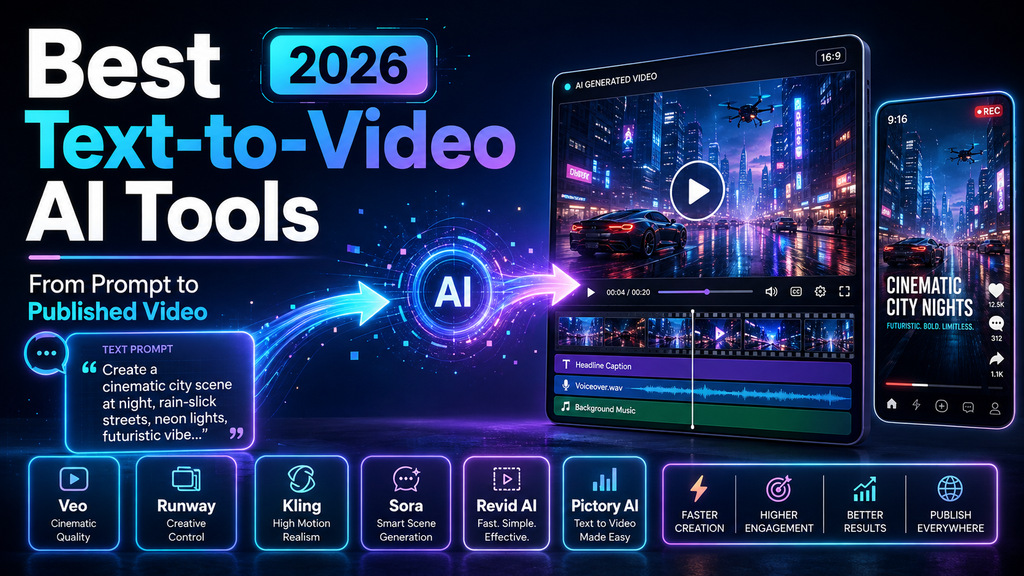
A simple idea can now become a complete video without picking up a camera.
Imagine writing a prompt like “A futuristic city glowing at night with flying cars and cinematic lighting” and watching AI create the scene within minutes. What once required a production team, expensive equipment, and advanced editing skills can now start with just a few words.
That is the power of modern text to video AI tools.
However, choosing the right platform is not always easy. Some AI video generators focus on cinematic realism. Others are built for YouTube Shorts, marketing videos, educational content, or business presentations.
A filmmaker may need realistic camera movement. A content creator may need daily short videos. A blogger may want to convert articles into engaging visual content.
The best tool depends on your workflow.
In this guide, we compare the best text to video AI tools in 2026, explain their strongest features, highlight their limitations, and show which platform fits different creators and businesses.
If you are also exploring AI tools for content creation, check our guide on AI tools for creators to discover more ways technology can simplify your workflow.
Quick Comparison of the Best Text-to-Video AI Tools in 2026
| Tool | Best For | Main Strength |
| Google Veo 3.1 | Cinematic videos | Realistic visuals and audio |
| Runway | Professional creators | Creative editing controls |
| Kling 3.0 | Realistic motion | Natural character movement |
| OpenAI Sora | Storytelling | Imaginative scene creation |
| Luma Dream Machine 2.0 | Visual concepts | Smooth camera movements |
| Revid AI | Short-form creators | Fast social video production |
| Pictory AI | Content repurposing | Blog-to-video conversion |
| Synthesia | Businesses | AI avatar videos |
| InVideo AI | Marketing videos | Script-to-video workflow |
| CapCut AI | Social media | Quick editing |
What Are Text-to-Video AI Tools?
Text-to-video AI tools use artificial intelligence models to create videos from written prompts.
Instead of manually recording footage, users describe the scene they want and the AI generates visuals based on that instruction.
For example:
“Create a cinematic video of a coffee shop during a rainy evening with warm lighting and slow camera movement.”
The AI understands elements like:
- Subject
- Environment
- Motion
- Camera style
- Visual mood
Then it creates a video based on those details.
Modern AI video generators can create:
- Social media clips
- Product videos
- Educational content
- Marketing campaigns
- Faceless YouTube videos
- Storytelling videos
- AI avatar presentations
The technology is improving quickly. Yet each platform has a different purpose.
How We Selected the Best AI Video Generators
Not every impressive AI demo becomes a useful daily tool.
A creator needs more than attractive visuals. They need reliability, speed, and a workflow that saves time.
We compared tools based on:
- Video realism
- Prompt accuracy
- Editing features
- Export quality
- Ease of use
- Pricing value
- Creator workflow
- Business applications
- Social media support
For example, a filmmaker creating a brand commercial needs different features compared with someone producing daily YouTube Shorts.
Google Veo 3.1 – Best AI Video Generator for Cinematic Quality
Google Veo 3.1 is one of the strongest text-to-video AI tools for creators who want realistic and detailed visuals.
The platform focuses on understanding complex prompts and generating scenes that feel closer to traditional film production.
It can create detailed environments, natural movements, and cinematic camera effects.
Best Uses:
- Film projects
- Creative storytelling
- Brand videos
- Professional visual content
Why Creators Like Google Veo 3.1:
- Realistic scene generation
- Better prompt understanding
- High-quality visuals
- Natural camera movements
- Audio generation support
Key Features:
- Text-to-video creation
- Cinematic scene generation
- Realistic lighting effects
- Detailed environments
Limitations:
- May be more advanced than casual users need
- Not always the fastest choice for quick social videos
For creators focused on quality, Google Veo 3.1 is one of the most exciting AI video generators available.
Runway – Best AI Video Generator for Professional Creators
Runway is designed for creators who want more control over AI-generated videos.
While many tools focus only on generating clips, Runway combines generation with editing features. It feels more like a creative studio where AI handles part of the production process.
Best Uses:
- Film projects
- Creative campaigns
- Brand videos
- Professional content creation
Why Creators Like Runway:
- Advanced editing tools
- Camera movement controls
- Motion effects
- Generative editing features
Key Features:
- Text-to-video generation
- Image-to-video conversion
- Background replacement
- Object removal
- AI-powered editing
Limitations:
- Beginners may need time to learn advanced features
- Higher usage can require premium plans
Runway is a strong choice for creators who want AI assistance without giving up creative control.
Kling 3.0 – Best Realistic AI Video Generator for Motion
Many AI videos look impressive until movement begins.
A character may walk unnaturally. Objects may behave strangely. Small details can break the illusion.
Kling 3.0 focuses heavily on realistic motion and physics.
Best Uses:
- Action scenes
- Character videos
- Realistic animations
- Creative experiments
Why Creators Like Kling 3.0:
- Natural movement
- Better physics simulation
- Improved character consistency
- Smooth transitions
Key Features:
- Complex motion generation
- Realistic human actions
- Detailed environments
- Dynamic scenes
Limitations:
- Output quality depends heavily on prompt detail
- Editing options may be limited compared with professional tools
For realistic AI-generated movement, Kling 3.0 is a strong competitor.
OpenAI Sora – Best AI Video Tool for Storytelling
OpenAI Sora focuses on turning ideas into visual stories.
Instead of creating only simple clips, it helps users imagine complete scenes from written descriptions.
A writer can describe a fictional world and Sora can help visualize it.
Best Uses:
- Story videos
- Creative concepts
- Visual storytelling
- Experimental projects
Why Creators Like Sora:
- Strong creative interpretation
- Detailed scene generation
- Narrative-focused output
- Complex visual ideas
Key Features:
- Prompt-based video creation
- Creative scene building
- Story visualization
- Concept development
Limitations:
- Availability can vary
- Results still depend on prompt quality
Luma Dream Machine 2.0 – Best AI Tool for Visual Concepts
Luma Dream Machine is popular among creators who want fast visual experiments.
It performs well with camera movement, lighting, and creative scenes.
Best Uses:
- Product concepts
- Design ideas
- Short creative clips
- Visual testing
Why Creators Like Luma:
- Smooth camera movement
- Fast generation
- Creative visuals
- Strong lighting effects
Key Features:
- Text-to-video generation
- Image animation
- Motion creation
- Concept visualization
Revid AI – Best AI Video Generator for Shorts and Social Media
Creating daily content is difficult when every video requires scripting, editing, captions, and formatting.
Revid AI focuses on making short-form content creation faster.
It helps creators turn ideas into videos without spending hours inside editing software.
Best Uses:
- YouTube Shorts
- TikTok videos
- Instagram Reels
- Faceless channels
- Social media content
Why Creators Like Revid AI:
- Fast video creation
- Simple workflow
- Short-form templates
- Quick publishing process
Key Features:
- AI video generation
- Script-based videos
- Social media formats
- Content creation workflow
Limitations:
- Better suited for short videos than cinematic productions
- Advanced editing may require additional tools
For creators who want consistency, Revid AI can make the jump from idea to published video much easier.
You can try Revid AI here:
If you are building a faceless content channel, also check our upcoming guide on how to make faceless YouTube Shorts with AI.
Pictory AI – Best AI Video Tool for Blog-to-Video Content
Many creators already have valuable written content. The challenge is turning those articles into videos.
Pictory AI helps convert scripts, blog posts, and ideas into video content.
It works especially well for marketers and bloggers who want more value from existing content.
Best Uses:
- Blog-to-video conversion
- Educational videos
- Marketing content
- Content repurposing
Why Creators Like Pictory AI:
- Converts text into videos
- Creates captions automatically
- Simplifies editing
- Helps reuse existing content
Key Features:
- Script-to-video generation
- Article conversion
- Voiceover options
- Caption creation
Limitations:
- Not designed mainly for cinematic storytelling
- Less creative control than filmmaking platforms
For bloggers and businesses, Pictory AI helps transform one piece of content into multiple formats.
Try Pictory AI:
Synthesia – Best AI Avatar Video Generator for Businesses
Businesses often need videos that explain information clearly.
Synthesia focuses on AI presenters and avatar-based videos.
Best Uses:
- Training videos
- Product tutorials
- Company communication
- Educational content
Why Businesses Like Synthesia:
- AI presenters
- Multiple languages
- Simple production process
- Professional presentation style
InVideo AI – Best Script-to-Video Generator
InVideo AI helps users transform written ideas into complete videos.
It combines scripts, visuals, voiceovers, and editing tools into one workflow.
Best Uses:
- Marketing videos
- Promotional content
- Explainer videos
- Social campaigns
Why Creators Like InVideo AI:
- Automated production
- Stock media integration
- Fast editing
- Beginner-friendly workflow
Are Free AI Video Generators Worth Using?
Free AI video generators are useful when testing ideas.
However, free plans often include restrictions.
Common limitations include:
- Watermarks
- Lower resolution
- Limited credits
- Fewer export options
A free AI video generator is a good starting point. But creators producing regular content usually need paid plans.
How to Choose the Right Text-to-Video AI Tool
Choosing the best tool depends on your goal.
Choose Google Veo or Runway For:
- Professional videos
- Cinematic projects
- Creative campaigns
Choose Kling For:
- Realistic movement
- Character scenes
- Action videos
Choose Revid AI For:
- YouTube Shorts
- Social media content
- Fast publishing
Choose Pictory AI For:
- Blog conversion
- Educational videos
- Marketing workflows
Common Mistakes When Using AI Video Generators
Many beginners expect perfect results from a single sentence.
AI works better when prompts include clear details.
Instead of:
“Create a video about cars.”
Try:
“Create a cinematic 20-second video showing a luxury sports car driving through a city at night with dramatic lighting and slow camera movement.”
A strong prompt includes:
- Main subject
- Location
- Camera style
- Lighting
- Mood
- Movement
Final Thoughts: Which Text-to-Video AI Tool Should You Choose?
The best text to video AI tools in 2026 depend on what you want to create.
Google Veo 3.1 and Runway are excellent for cinematic projects.
Kling 3.0 is a strong choice for realistic motion.
Sora helps creators explore storytelling ideas.
For social media creators, Revid AI provides a faster content workflow.
For bloggers and marketers, Pictory AI makes content repurposing much easier.
The smartest choice is not always the tool with the most features. It is the one that matches your creative process and helps you publish consistently.
As AI video technology keeps improving, the distance between an idea and a finished video will continue getting smaller. And for creators, that means more opportunities to tell stories, build audiences, and create content faster than ever before.
4 Responses