
Anyone who has built a presentation knows the struggle—late-night slide formatting, fixing alignment issues, searching for matching icons, and turning messy notes into clean, structured bullet points. What used to take hours of manual design work is now being replaced by AI tools that understand structure, tone, and visual flow in seconds.
Today, prompt-driven presentation engines can transform raw text, documents, or even links into a sleek presentation in an instant. They take care of typographic hierarchy, color balance, and infographic-style layouts automatically, so the final outcome looks ready-for-presentation without any design work involved.
- Fast slide generation: Converts text into full presentations in seconds
- Smart design structure: Auto-handles layouts, fonts, and visual spacing
- Export flexibility: Download in PowerPoint, PDF, or cloud formats
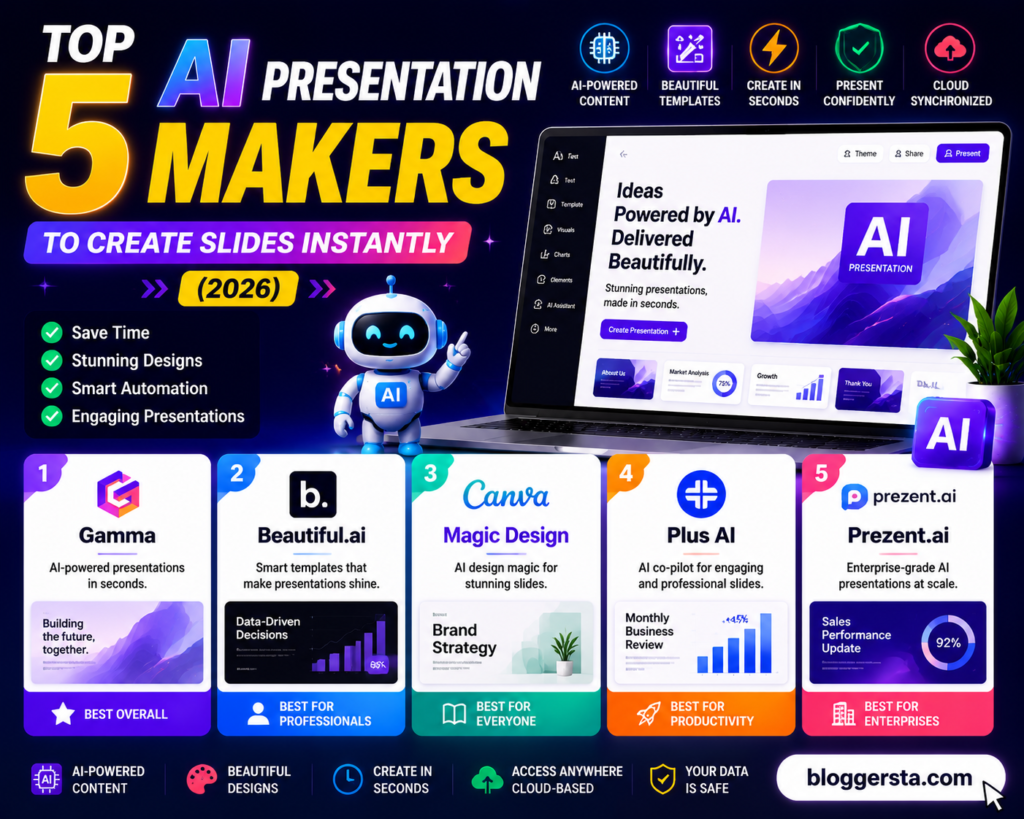
In this guide, we will compare 5 top AI presentation makers on template quality, prompt accuracy, speed + export options, and free usage availability for everyday users.
Creative Automation: Can AI Make a PowerPoint Presentation Automatically?
Yes, the AI can automatically generate a PowerPoint presentation, created entirely from scratch. Simply input a topic, prompt, or doc, and in seconds the system outputs slide structure, written content, design layouts, and graphics.
No coding or design skills required. They are designed to take you from raw ideas to finished slides with as little effort and cost as possible — they greatly streamline the process while keeping it beginner-friendly.
How AI Presentation Generation Works
Instead of starting from a blank slide, modern AI tools follow a simple 3-step flow:
Modern AI tools follow a simple 3-step flow, rather than starting from a blank slide:
Input: You enter a prompt, upload a file (PDF/Word), or paste a link
Creation: The AI handles slide structure, writes text, chooses layouts, and extracts styles.
Export: The final presentation is editable online, or you can download it as a PowerPoint (. PPTX) or Google Slides file.
Also read: 5 Best Free AI Image Generators: Midjourney Alternatives (2026)
Top Tools to Automate Your Slides
Generative text-based responses: Microsoft Copilot is embedded in the live PowerPoint experience and can create slides, outlines, and layouts via chat.
Specialization: Gamma and Beautiful are other tools in this space: AI and Presentations. AI creating full professional slide decks in minutes
Add-ons: Tools like SlidesAI and similar extensions to enhance existing workflows for more rapid slide creation.
Limitations to Keep in Mind
These tools are great for drafting quickly, but they are not perfect. Several outputs are better suited for verification, especially those used in business or academic settings. And yes, brand guidelines such as custom fonts, color matching or specific positions of the logos may still need to be changed with human help.
Top Prompt-to-Slide Design Engines
Prompt-to-slide design engines enable users to convert even a basic text prompt into a complete three-dimensional layout, color scheme, and visuals in seconds. The following tools are ranked by design control, ease of export, and suitability for novices or professionals.
| Software Name | Best Structural Use Case | Free Tier Limit | Export Formats (PPTX/PDF) | Starting Monthly Price |
| Gamma | Fast document-to-deck creation with web-style layouts | Limited free credits | PPTX, PDF, Web link | ~$10/month |
| Beautiful.ai | Smart automated slide formatting with clean layouts | Basic free plan | PPTX, PDF | ~$12/month |
| Canva Magic Design | Brand-focused creative presentations with templates | Free with limits | PPTX, PDF | ~$14/month |
| Plus AI | AI integration inside Google Slides & PowerPoint | Free trial available | PPTX | ~$10/month |
| Prezent.ai | Enterprise-level structured business presentations | Limited trial | PPTX, PDF | Custom pricing |
Reviewing the 5 Best AI App Engines for Slides
AI generation slide engines have expanded past fast templates. This approach is now reflected in the tools available to media companies today: smart control of layouts, data visualization in real time and content that automatically adapts itself to different environments with flexible storytelling systems. The platforms discussed below are reviewed on structure handling, design intelligence and how better they deliver business-ready presentations.
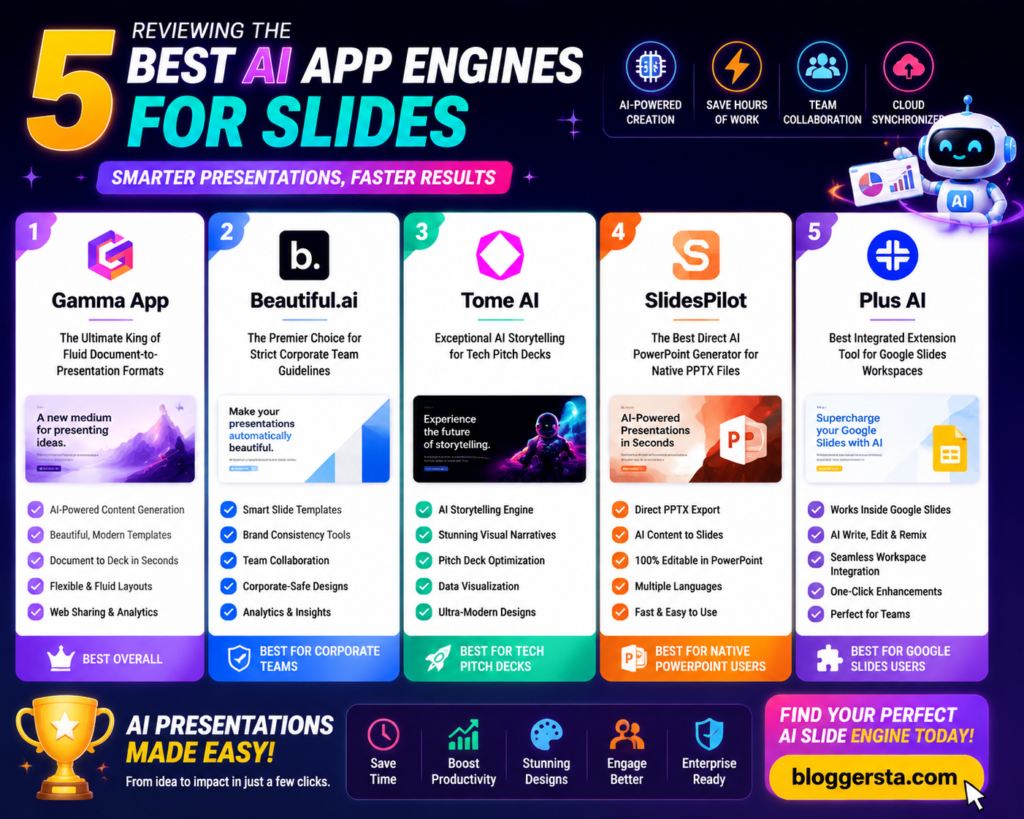
1. Gamma App – The Ultimate King of Fluid Document-to-Presentation Formats
Gamma App stands out because it doesn’t treat slides as fixed boxes. Instead, it uses a it works off a flexible canvas system, where content cascades as one might find on a webpage. Perfect for startups that want their people to be spry, modern, well-scrolled presentations, not old, clunky slide decks.
The built-in chat assistant also contributes to faster workflows. Edit with commands that feel more like conversation than design: rewrite a few phrases, move blocks around, exchange visuals.
Standout Feature:
- Support for nested web page layouts with live media embedded in slides and video
- Pros: very flexible and a good typography manipulation feature, with a large free tier for first-time users.
- Cons: PowerPoint conversion may have very slight font or spacing offsets
- Plans: Plus plans from approximately $8/month
2. Beautiful.ai – The Premier Choice for Strict Corporate Team Guidelines
Beautiful. AI is designed for users who want perfect formatting automatically, without having to structure it manually. Whenever you add content, its intelligent design engine tweaks spacing between items, adjusts alignment, and modifies layout to make sure your slides remain visually balanced in proportions.
Standout Feature:
- Auto-adjusting charts that restructure instantly based on your input data
3. Tome AI – Exceptional AI Storytelling for Tech Pitch Decks
Tome AI is an idea turned into a story instead of slides. It allows you to create visually rich, narrative-driven presentations, which makes it great for startup pitches and creative storytelling decks.
Feature Checklist:
- Auto-generated data tables
- 3D interactive visuals
- Responsive web-style slide scaling
4. SlidesPilot – The Best Direct AI PowerPoint Generator for Native PPTX Files
Traditional business teams with clean PowerPoint and Google Slides compatibility prefer SlidesPilot. It cares more about file accuracy than some flash design system.
- Pros: Strong PPTX compatibility, easy export for corporate use
- Cons: Limited modern web-style scrolling layouts
5. Plus AI – Best Integrated Extension Tool for Google Slides Workspaces
Plus AI works in Google Slides, so it is intended for users who don’t want to switch platforms. It helps you generate, rewrite, and enhance slides within your existing workflow.
Standout Feature:
- Live data snapshot insertion directly into slides for real-time updates
Also read: 7 Best AI Logo Generators for Startups (2026 Rankings)
What is the best AI for slides and presentations?
The most effective AI for slides will depend on how you intend to create your presentations. In 2026, Gamma App, Beautiful. The best AI PowerPoint tools are Beautiful.ai, Tiled and SlidesPilot—the latter drinking up all my interest. Each tackles a different need: the first for modern web, simplified styles; the second for content-focused data-driven layouts, and the third takes what you have (and corporate formats) and puts it out in an easy way.
These tools will automatically format your slides, adjust the layout, and add visuals based on your prompt, allowing for super-fast, uniform presentation building rather than formatting every slide manually.
1. Gamma App – Best for Web-First Fluid Presentations
(1) The best use case: Modern, slide-like presentations with the option to scroll and a flexible & styled narrative
(2) Strength: You create web-like slides with a fluid movement of content rather than blocks of boxes.
(3) Why it leads: Great for companies that want speedy, polished decks without putting in the design work.
2. Beautiful.ai – Best for Clean Data & Smart Visuals
(1) Best Use Case: Corporate documentation, e.g., business presentation, charts
(2) Power: Fixes all alignment, spacing, and chart design while typing
(3) Why it leads: Automatic cleaning and balancing of every slide so you never have to manually edit as well
3. SlidesPilot – Best for Traditional Corporate Workflows
(1) Ideal Use Case: PowerPoint or Google Slides for Office teams
(2) Strength: Power Generates fully editable, easily shareable PPTX files
(3) The lead it takes: Integrates with current corporate systems without changing workflow
Structuring High-Impact AI Presentation Frameworks
A successful presentation about AI has clarity of message and structure. It is true that AI can generate slides quickly, but the best results come when you, as a human being, do most of the heavy lifting in providing an outline and then have an iterative summary slide.
1. Define Your Goal
- Get them to decide what you would like the audience to learn or do.
- As a rule of thumb, have only one takeaway message in your presentation
2. Create an Outline
- Before creating slides, summarize those key points.
- Remove topics that don’t add value and filler
3. Generate the Design
- Gamma: The best modern visual presentation.
- Plus AI: It works directly with PowerPoint and Google Slides.
- Beautiful. AI: Automatically cleans up and makes all layouts consistent
4. Refine the Slides
- Shorten text and improve readability.
- Add visuals, charts, or supporting data.
- Review the deck before presenting.
Conclusion: Elevating Boardroom Communication via Intelligent Slide Creation
Creating professional presentations is faster and easier than ever to create. This allows you to spend less time making adjustments with layouts, text, and visuals, and more on writing a powerful message to share. Design took another leap forward with modern-day AI presentation tools that handle most of the design work for you, allowing you to build beautiful slide decks in minutes.
The best platform. For a more interactive, web-based presentation, Gamma is great. If you want standard PPTX files, other AI presentation makers are more appropriate.
Sign up for the Gamma App or try out one of these highlighted AI presentation tools now. Type in your new article outline or bang out your next business plan or pitch idea, and have
Frequently Asked Questions
1. How do AI presentation makers work?
It uses AI to automatically create slides, content, layouts, and visuals. You enter a prompt, topic, document and bang!
2. Can I edit the slides after they are generated?
Yes. You can update text, colors, images, layout, and add or remove slides at any time.
3. Which AI presentation tool is best?
- Gamma: Fast presentation creation
- Canva: Creative designs
- Beautiful. AI: Business presentations
- Tome: Storytelling decks
- Plus AI: Google Slides integration
4. Can I export presentations to PowerPoint?
Yes. PPTX, PDF, and Google Slides exports are supported by most tools.
5. Are AI presentation makers free?
Most offer free plans or trials and a paid subscription for advanced features.