
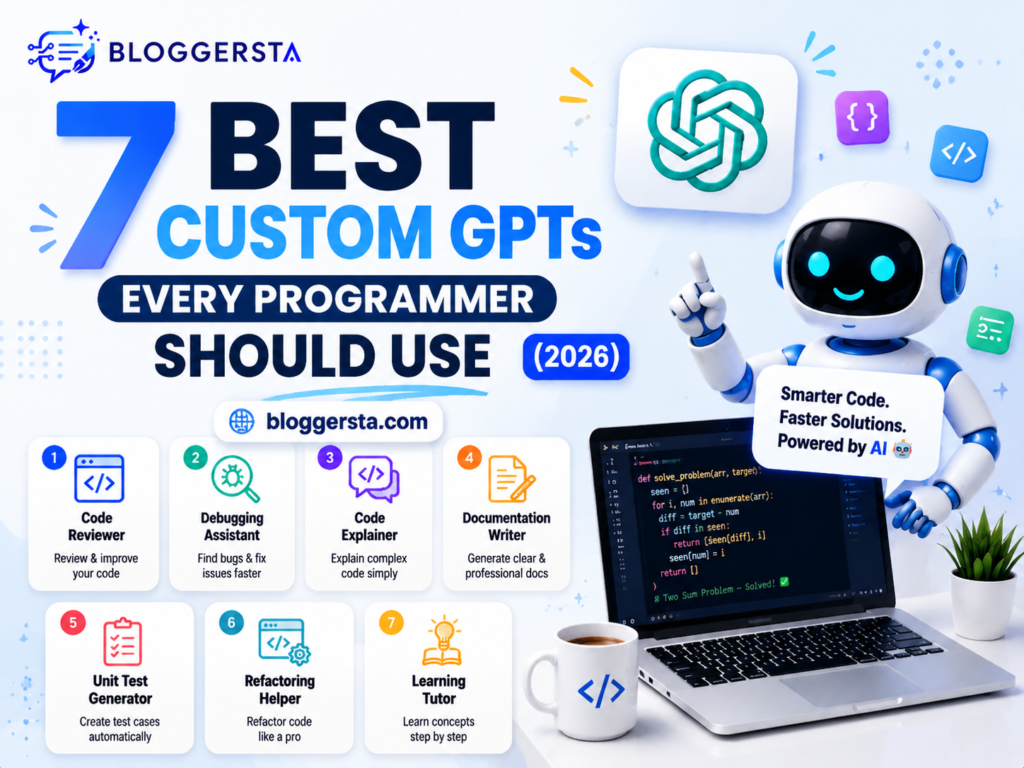
Ever spent 20 minutes trying to clarify the same coding problem for ChatGPT, only for it to reply with a generic answer that still doesn’t resolve the bug? This is a typical studio experience that eases developers’ use of common AI tools.
The best custom GPTs you may try for coding technically solve this by focusing on specific development tasks. These GPTs aimed to provide accurate answers based on practical knowledge from the first step, whether it was debugging your code, helping with API integrations, conducting code reviews, or addressing framework-specific issues. So, you get not prompt-repeating assistance but targeted help that fits into your workflow.
In this guide, we will rank the 7 top-rated GPTs based on prompt accuracy, security awareness, library knowledge, and overall performance as AI programming assistants.
- Faster bug fixing and troubleshooting
- Better support for popular frameworks and libraries
- More reliable code generation and explanations
The Custom GPT Ecosystem: How Specialized Coding Assistants Maximize Performance
Not all AI coding tools work in the same way. General AI assistants can help in most areas but tend to provide generic answers that require further editing. Specialized coding GPTs are built to respond to specific programming tasks, frameworks, and development workflows with high accuracy and usability.
As these assistants are trained or configured on specific use cases, they can learn coding requirements more quickly and follow framework-specific rules to minimize common errors. This means developers can spend less time repairing code that has lapsed due to AI and more time implementing real features.
Why Specialized Coding Assistants Work Better
Focused Knowledge: Custom GPTs are focused on specific technology or programming tasks. A React-specific assistant would be able to provide much more relevant assistance than a general chatbot.
Reduced Wrong Answers: Specialized assistants operate in a more limited domain, so they are less likely to produce irrelevant code or confusing suggestions.
Support for Your Workflow: Many of these coding assistants integrate with APIs, documentation, databases, and development tools to help automate repetitive tasks.
A Higher-Level Understanding of a Project: Advanced coding tools can parse multiple files, understand a project’s structure, and thus suggest modifications across the entire codebase rather than just one file.
Common Types of Coding Assistants
- General Coding Assistants – Provide coding assistance and solve programming problems, incentivizing learning.
- Framework-Specific GPTs – Designed for specific technologies like React, Python, Laravel or Vue. js.
- AI-Driven Development Tools – technologies like Cursor and Windsurf that offer more codebase awareness, multi-file editing, and advanced debugging support.
How Do I Safely Use GPTs for Code Refactoring?
GPTs can save quite a bit of time when it comes to code refactoring, but only if you view AI as an assistant and not the one in charge — which, for many people, is probably the right approach. While AI can help improve the codebase’s quality by cleaning, restructuring, and minimizing duplication, developers must be responsible for reviewing the final changes before pushing to production.
The lowest-risk approach is to refactor in a controlled manner rather than refactoring entire projects at once. This helps identify bugs, check functionality, and ensure code quality at every step.
1. Prepare Your Code Before Refactoring
- Ensure that existing unit tests have been created.
- Before making any changes, run all tests to make sure they pass.
- Separate branch for AI Updates
2. Give Clear Instructions
Avoid vague prompts like “improve this code.”
Use specific instructions such as:
- Do not change business logic.
- Do not modify public APIs.
- Keep existing functionality unchanged.
- Follow the project’s coding standards.
3. Review Every Change
- Review the code line by line as it is generated by AI.
- Side-by-side diff view: see changes
- Check that no required functionality was lost.
4. Run Validation Checks
- Execute unit and integration tests.
- Use linter tools like ESLint or other similar code analyzers
- Monitor performance and security post-refactoring.
| Step | Purpose |
| Unit Tests | Verify that functionality remains unchanged |
| Clear Prompts | Reduce unwanted code modifications |
| Code Review | Catch logic and security issues |
| Static Analysis | Detect bugs and code quality problems |
| Performance Testing | Ensure refactoring doesn’t slow the application |
Also read: 5 AI Graphic Design Tools That Save Hours of Work (2026)
Top Developer GPTs Inside the Marketplace
Not every developer GPT is built for the same need. These can be code-oriented, UI generation, debugging, data analysis, or full project planning. The best tool will depend on how you work most of the time.
In the table below, we compare some of the best developer-focused GPTs based on their strengths, ideal use cases and key capabilities.
| Model Name | Primary Language Focus | Core Feature Specialty | Code Documentation Status | Ideal Target User |
| Screenshot to Code | HTML, CSS, React, Tailwind | Converts UI screenshots into working frontend code | Generates basic code explanations and comments | Frontend developers and rapid prototypers |
| Grimoire | Multi-language support | Full-project generation, debugging, and code scaffolding | Strong documentation and step-by-step guidance | Full-stack developers and software builders |
| Code Copilot / Tech Assistant | Python, JavaScript, Java, C++, and more | Syntax fixes, debugging, and coding assistance | Good inline explanations and code comments | Developers seeking everyday coding help |
| Data Interpreter | Python and SQL | Data analysis, automation scripts, and visualization | Detailed explanations of generated code and outputs | Data analysts and automation engineers |
| DesignerGPT | HTML, CSS, JavaScript | Website and landing page creation from prompts | Basic documentation for generated layouts | Web designers, marketers, and beginners |
The 7 Best Custom GPTs for Professional Developers
The modern developer workflow is no longer about writing code line by line. These custom GPTs are designed to behave like domain-specific engineering partners, helping you with everything from rapid prototyping and debugging to database design and full-fledged system architecture, more quickly and accurately.
If you want, I can also pack it with SEO or a casual tone for your blog.
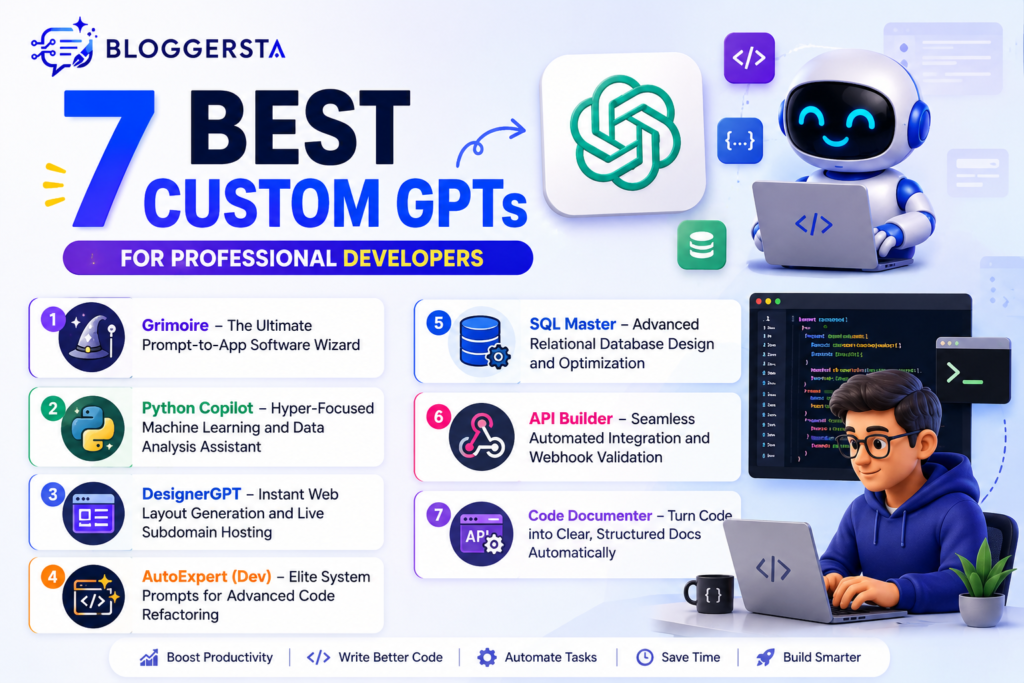
1. Grimoire – The Ultimate Prompt-to-App Software Wizard
Grimoire is one of the most powerful all-in-ones for creating entire applications from basic prompts. Independence from the advanced principles of building structures makes it very popular because it allows you to instantly put your ideas into working frontend shapes.
It also allows generating live previews, which means developers can directly view HTML, CSS, and JavaScript output in the chat environment; this is great for fast prototyping and UI testing.
Feature: Boilerplate configuration integrated for rapid app development
Pros: Beliza offers some of the best full-stack script generation, with nearly no need for prompt engineering. It is ideal for building landing page scripts quickly.
Cons: Might sometimes output truncated code blocks when querying complex scripts
2. Python Copilot – Hyper-Focused Machine Learning and Data Analysis Assistant
Python Copilot is built for developers who work primarily in Python, especially in data science and machine-learning workflows. In addition, it keeps pace with state-of-the-art libraries such as Pandas, NumPy, and Scikit-learn to provide you with accurate, production-ready suggestions.
This is very useful for developers in need of clean logic and optimized computations, because not all approaches are appropriate for highly structured data workflows.
Feature: Automated syntax analysis for performance enhancement and logic structure validation.
3. DesignerGPT – Instant Web Layout Generation and Live Subdomain Hosting
DesignerGPT empowers developers and designers to play around beyond lines of code — creating entire web layouts and deploying them in live preview environments. So, it can help you quickly build website prototypes and client demos.
It also generates Responsive Design and layout adjustments in real time without recompiling the web project at runtime.
- Responsive layout grids
- Tailwind-based styling automation
- Live preview hosting
- Instant design-to-code conversion
- Real-time visual updates
4. Code Copilot – Advanced Structural Multi-Language Architecture Guide
Code Copilot it is designed for enterprise-scale development with heterogeneous programming languages and huge codebases. Aids debugging, system design, and dependency tracking of backend systems.
It is primarily used to build components in scenarios that require composition and scalability rather than simple code generation.
| Pros | Cons |
| Strong multi-language support | Slower processing on large projects |
| Excellent debugging accuracy | Can produce heavy explanations |
| Good architectural planning support | Requires careful prompt structuring |
| Useful for enterprise systems | Not lightweight for small tasks |
5. AutoExpert (Dev) – Elite System Prompts for Advanced Code Refactoring
AutoExpert is for fixing existing code, not creating new projects. It promotes readable code and best practices and facilitates structured refactoring across large codebases.
It is used by developers for cleanup, performance enhancement, and long-term quality management of the project.
Feature: Stack workspace prompt to automatically verify code safety & optimization criteria
6. SQL Master – Advanced Relational Database Design and Optimization
SQL Master is here to make your database more performant and optimize queries. It assists developers in constructing efficient schemas, debugging slow queries, and managing relational data structures.
It also supports translation across various DB systems, which can help with migration and scaling.
Feature: MySQL, PostgreSQL, and MongoDB pipeline cross-database query translation.
7. API Builder – Seamless Automated Integration and Webhook Validation
API Builder is also a central point for backend integration, generating APIs, endpoint validation, and communication between different services. Also widely utilized in SaaS and cloud-based applications.
It also reduces configuration errors and accelerates the deployment of API-driven systems.
- API endpoint generation
- Webhook validation
- Auto configuration files
- Schema validation
- Cloud integration support
- Error detection for APIs
Protecting Proprietary Source Files from Leakage Risks
To avoid exposing proprietary code, control what you share with the AI tools (and change) and review outputs before production. Even things as minor as exposed keys or code that is known to be unsafe are a potential bug in that security.
- Disable model training logs so they do not store or reuse private code.
- Do not put real passwords or API keys in the data entry; instead, use dummy data.
- Prior to deploying its AI-generated code, verify it for security vulnerabilities according to standards such as OWASP.
Faqs
1. What are some of the best custom GPTs?
Some of the best custom GPTs you can create or use right now: Grimoire Code Copilot, Data Interpreter, Designer, GPT SQL Master. They are coding GPTs, debugging GPTs, doing data analysis, UI generation, and automating.
2. How many custom GPTs can I create?
Depending on your ChatGPT plan, you can create multiple custom GPTs. There is usually no fixed daily creation limit, but usage allowances vary by subscription. Avoid creating duplicate GPTs if your usage is limited.
3. What are the top 10 GPTs?
The top GPTs for Grimoire, Code Copilot, DesignerGPT, Data Interpreter, and SQL Master. Markdown Gen, AutoExpert, and API Builder Android Dev Assist Material Tailwind GPT Diagram GPT, based on your development.
4. What are the best GPTs for coding?
Top GPTs For Coding: Code Copilot, Grimoire, AutoExpert, Python Assistants. They aid in debugging, code generation, and architectural design, and improve the overall speed and accuracy of development.
Also read: 5 Best Free AI Face Swappers and Photo Editors (2026)
Conclusion: Accelerating Engineering Velocity via Tailored AI Environments
Software engineering is way beyond manual syntax handling. Modern developers can now focus more on system design, logic flow, and automation strategies, since AI can handle repetitive coding and boilerplate generation in the background. And this is making development quicker, cleaner, and more scalable for projects of all sizes.
The right custom GPTs to choose from in the marketplace for coding ultimately depend on your programming language, project specifics, and security requirements. The perfect data science model provides the right level of improvement to your workflow, creating superior accuracy and minimizing debugging time by supporting better architectural decisions.
Open your ChatGPT dashboard and step up your coding workflow with tools like Grimoire or Python Copilot to multiply your productivity from the very first day.