

A great product photo can stop a scroll, yet video often closes the gap between interest and purchase. Wyzowl’s 2026 research found that 85% of people had bought after watching a product or service video. Another 63% prefer short videos for learning about products. So, which AI product video generator can turn your store assets into videos shoppers actually watch?
Quick Answer
HeyGen is the best overall AI product video generator for ecommerce stores in 2026 based on its current feature mix. It handles product photos, product URLs, AI avatars, brand controls, and localization across 175+ languages. Creatify is better suited for URL-to-UGC ads, while Runway is better suited for cinematic product B-roll. Pippit works well for TikTok Shop. Synthesia fits explainers, Veo handles photorealistic scenes, and Canva offers an easy starting point.
Best AI Product Video Generators At a Glance
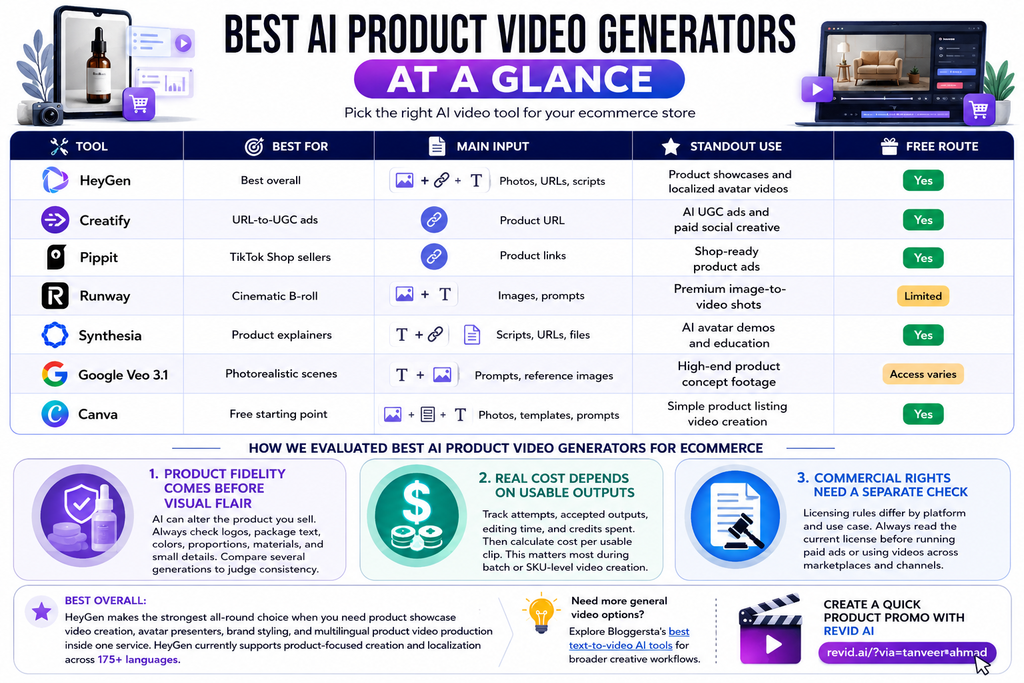
Different stores need different video styles. A skincare brand may want product-in-hand video ads, while a furniture store needs cinematic room scenes. Meanwhile, software sellers often need a clear product demo instead. The table below matches each tool with the e-commerce job it handles best.
| Tool | Best For | Main Input | Standout Use | Free Route |
| HeyGen | Best overall | Photos, URLs, scripts | Product showcases and localized avatar videos | Yes |
| Creatify | URL-to-UGC ads | Product URL | AI UGC ads and paid social creative | Yes |
| Pippit | TikTok Shop sellers | Product links | Shop-ready product ads | Yes |
| Runway | Cinematic B-roll | Images, prompts | Premium image-to-video shots | Limited |
| Synthesia | Product explainers | Scripts, URLs, files | AI avatar demos and education | Yes |
| Google Veo 3.1 | Photorealistic scenes | Prompts, reference images | High-end product concept footage | Access varies |
| Canva | Free starting point | Photos, templates, prompts | Simple product listing video creation | Yes |
Best overall: HeyGen makes the strongest all-round choice when a store needs product showcase video creation, avatar presenters, brand styling, and multilingual product video production in one service. HeyGen currently supports product-focused creation and localization across 175+ languages.
Need more general video options? Explore Bloggersta’s best text-to-video AI tools for broader creative workflows.
Create a quick product promo with Revid AI.
How We Evaluated AI Product Video Generators for Ecommerce
Feature lists tell only half the story. Ecommerce teams need accurate products, usable outputs, sensible credit costs, and formats that fit real storefronts and ad channels.
Product Fidelity Comes Before Visual Flair
Product fidelity matters because AI can accidentally alter the item being sold. A glossy bottle looks useless if its label bends or the cap changes shape. When comparing AI Product Video Generators, check logos, package text, colors, proportions, materials, and small design details. A store should also compare several generations because one lucky render can hide a model’s weak points.
Real Cost Depends on Usable Outputs
Monthly pricing rarely tells the full story. If a generator burns credits on five broken clips before producing one usable ad, that “cheap” plan suddenly looks expensive. Track the number of attempts, accepted outputs, editing time, and credits spent. Then calculate the cost per usable clip. This matters even more during batch video generation or SKU-level video production across a large catalog.
Commercial Rights Need a Separate Check
Ecommerce video often ends up in paid ads, marketplace listings, websites, and social posts. Those uses can carry different licensing rules. Synthesia, for example, currently allows stock and synthetic avatar videos in several organic or website settings while restricting those avatars in paid Facebook, Instagram, YouTube, TikTok, and programmatic ads. Always read the current license before launching paid media.
Best AI Product Video Generators for Ecommerce Stores
The right pick depends on what you already have. Product images, URLs, scripts, and catalog data each favor a different type of ecommerce video generator.
1. HeyGen — Best Overall AI Product Video Generator

HeyGen earns our top spot because its current ecommerce tools cover several workflows. You can turn product descriptions and photos into videos, add an AI avatar or virtual spokesperson, create captions, resize content, and localize narration into 175+ languages. It also supports product-focused brand styling. That mix suits stores needing product showcases, explainers, social ads, and catalog video generation without separate production stacks.
Best for: multi-product stores, global sellers, and brands needing several video styles.
Watch for: smaller stores may not need every feature.
2. Creatify — Best for URL-to-UGC Product Ads

Creatify is built around a simple idea: paste a product link and turn the page into an ad. Its current AI Video Ads workflow analyzes product details then creates customized video creatives. That makes it useful for rapid ad creative variations. It also fits AI UGC ads where brands want a creator-style pitch without arranging fresh shoots every week.
Best for: DTC brands, Meta ads, Reels, and vertical video ads.
Watch for: default outputs can look formulaic if you skip brand edits.
3. Pippit — Best for Shopify and TikTok Shop Sellers
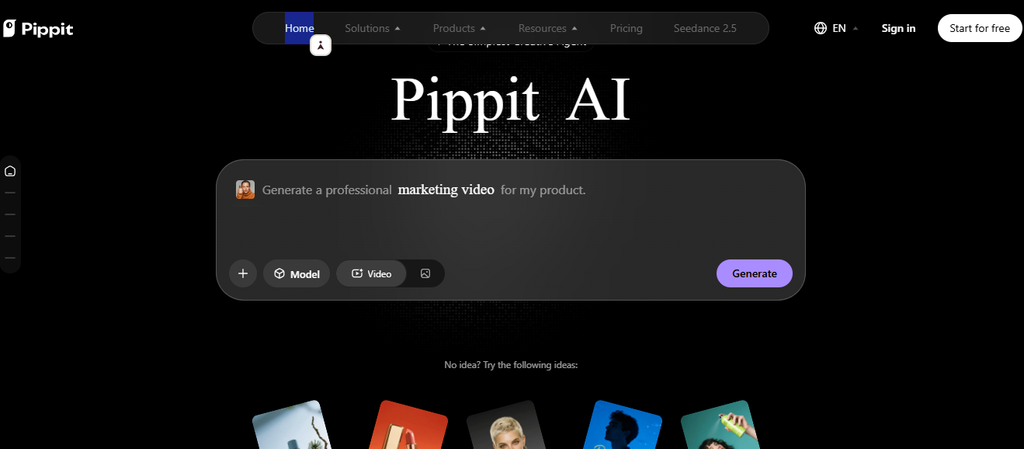
Pippit feels closer to e-commerce operations than a pure video model. Its TikTok Shop workflow can ingest a product link, then pull product images, features, pricing details, and other listing information. It can build a script, captions, voiceover, and product-focused video from that input. This makes Pippit useful for stores creating frequent TikTok Shop videos or marketplace campaigns.
Best for: social commerce sellers and high-volume product listings.
Watch for: luxury campaigns may need more cinematic control.
4. Runway — Best for Cinematic Product B-Roll
Runway works best when the goal is visual polish rather than ecommerce automation. Gen-4.5 supports text-to-video and image-to-video generation with detailed control over camera movement and scene motion. Give it a strong product image and you can create cinematic product B-roll, slow reveals, atmospheric shots, or launch visuals.
Best for: premium brands, agencies, and campaign hero assets.
Watch for: Runway does not turn a product URL into a finished campaign automatically.
5. Synthesia — Best for Enterprise Product Explainers

Synthesia suits products that need explanation more than spectacle. It can create a product demo with AI presenters, screen recordings, scripts, captions, brand kits, and translation into 160+ languages. Think onboarding videos, feature walkthroughs, setup guides, and customer education. A software company could update one script after a feature change instead of filming an entire tutorial again.
Best for: software, technical products, B2B teams, and customer education.
Watch for: check avatar licensing before using videos in paid ads.
6. Google Veo 3.1 — Best for Photorealistic Product Scenes

Google Veo 3.1 is a generative model rather than a full ecommerce production suite. It accepts prompts and reference images then creates video with stronger scene consistency, native audio, and controlled visual direction. Reference images make it useful when an existing product or object must guide the scene.
Best for: photorealistic concept footage, premium campaigns, and visual experiments.
Watch for: scripts, product URLs, templates, publishing, and catalog workflows need other tools.
7. Canva — Best Free Starting Point for Ecommerce Sellers
Canva remains a practical starting point for stores with a small budget. Its free product video maker lets sellers combine product photos, templates, text, animations, stock assets, and branding. Canva also offers AI video generation on selected plans. That distinction matters because the product editor has a free route while newer generative video features carry plan limits.
Best for: beginners, small catalogs, and simple Amazon product videos.
Watch for: specialist tools offer deeper automation for high-volume stores.
Need more output from each campaign? See Bloggersta’s AI content repurposing tools.
Turn a product guide into video with Pictory AI.
Which AI Product Video Generator is Best for Your Ecommerce Workflow?
The best AI product video generator depends less on the brand name and more on the job. Start with your source asset, desired format, posting volume, and required product accuracy. Then choose the shortest path from input to finished clip.
- Best overall: HeyGen
- Best product URL to video AI: Creatify
- Best TikTok Shop workflow: Pippit
- Best cinematic product B-roll: Runway
- Best AI avatar explainer: Synthesia
- Best photorealistic scenes: Google Veo 3.1
- Best free starting point: Canva
A simple rule helps: use ecommerce-first platforms for volume and generative models for visual control.
Product Photo, URL, or Script — Which Input Should You Use?
Your starting asset changes the entire workflow. A product photo favors image-to-video tools, while a store URL works better for fast ad production at scale.
Product Photos Work Best for Visual Showcases
A product photo to video AI tool works well for beauty, jewelry, fashion, electronics, packaging, and home goods. Good source images give the model clear information about shape, color, texture, and branding. HeyGen offers broader product-video workflows. Runway gives more camera control. Veo can build richer generated scenes. Always inspect packaging closely after generation because motion can distort small details.
Product URLs Work Best for High-Volume Ads
URL-to-video workflows save time when a store has dozens of products. Creatify and Pippit can pull information from product pages and reuse it in scripts or video ads. This suits Shopify video maker workflows, TikTok campaigns, and frequent product listing video production. Still, check every generated claim. An AI script should never invent a feature, discount, ingredient, or performance promise.
Scripts Work Best for Product Education
Scripts work better when buyers need explanation before purchase. Software, electronics, tools, and higher-priced products often benefit from a guided product demo. Synthesia can pair a script with an AI avatar, while HeyGen can mix presenters with product visuals. This format also works well for setup instructions and post-purchase education.
Already publish buying guides? Learn how to turn blog posts into videos.
Convert an existing guide with Pictory AI.
Can AI Product Videos Be Used for Paid Ecommerce Ads?
Yes, many AI product videos can be used in advertising. However, commercial rights, avatar licenses, trademarks, product accuracy, and platform rules still matter. A generated scene should not make the real product appear larger, faster, safer, or more capable than it actually is.
Before publishing paid social creative:
- Check the tool’s commercial-use terms.
- Verify avatar rights for paid advertising.
- Review logos and packaging frame by frame.
- Remove unsupported product claims.
- Confirm music and stock-media rights.
- Keep the generated product close to reality.
Synthesia offers a good example. Its current license allows stock and synthetic avatar content in product videos on websites and organic social posts. Those avatar types face restrictions across several paid advertising channels.
That last point matters. Beautiful AI product animation can still damage trust when shoppers receive something different.
Are Free AI Product Video Generators Good Enough?
Free tools work well for experiments and smaller stores. They let you compare product image to video quality before paying. However, limits usually appear through credits, watermarks, export quality, avatar access, or generation caps.
Check these details before building a workflow:
- Monthly or weekly credits
- Watermarks
- Export resolution
- Commercial-use terms
- Number of generations
- Brand kit access
- Failed-generation credit use
A free AI product video generator can prove the idea. Paid plans make more sense when your store needs consistent branding or many product ads every month.
Canva’s free product-video editor is useful for photo-and-template workflows. Its newer AI-generated video clips have separate plan limits. HeyGen also currently offers a free starting route for product-video creation.
Make another social promo with Revid AI.
What Makes a Good Ecommerce Product Video?
Software can speed production, but it cannot rescue a weak product story. Wyzowl reports that 89% of consumers say video quality affects their trust in a brand. That means flashy effects should never come before clarity.
A strong product video should:
- Show the real product early.
- Lead with one useful customer benefit.
- Keep labels and colors accurate.
- Show size or scale when relevant.
- Use readable captions.
- Match the destination aspect ratio.
- Keep motion believable.
- End with one clear action.
For social ads, the opening seconds carry extra weight. If you need faster edits after generation, compare Bloggersta’s AI video editors for TikToks and Reels.
Which AI Product Video Generator Should You Choose?
The best AI Product Video Generators for Ecommerce Stores are the ones that match your real production job. HeyGen offers the strongest all-round feature mix for product showcases, avatars, and localization. Creatify is better for fast UGC-style ads, while Pippit fits TikTok Shop sellers. Runway and Veo give creative teams stronger visual control. Synthesia works better for explainers, and Canva offers a friendly starting point. Test one real product before subscribing. Watch for warped labels, wrong colors, weak scripts, and wasted credits. A polished clip only matters when it still looks like the product customers will receive.
Create a short product campaign with Revid AI.
One Response