
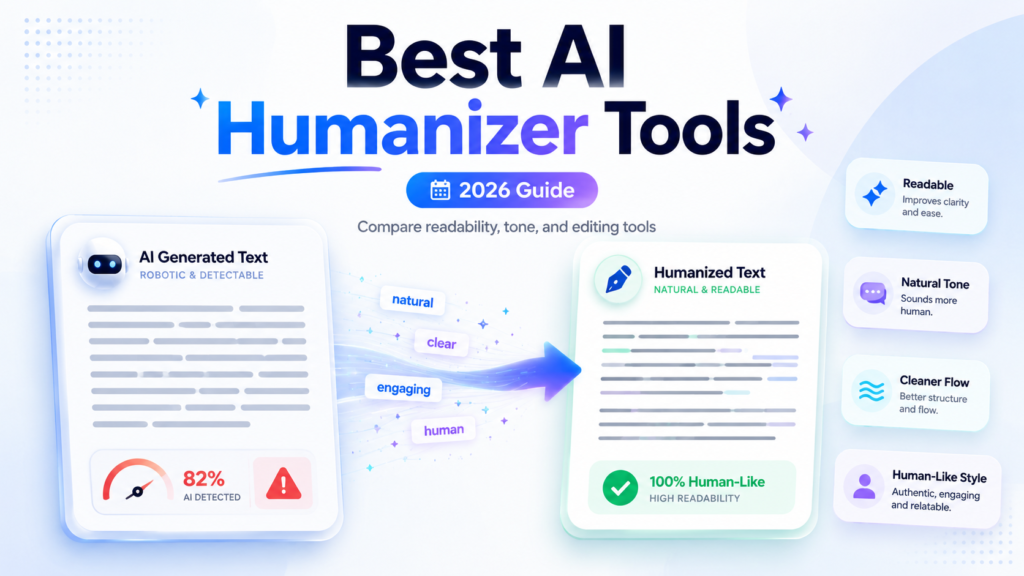
“Readers can spot polish, but they remember honesty.”
In 2026, 68% of surveyed consumers said they often question whether online content is real, while 50% preferred brands that avoid generative AI in customer-facing content. That makes awkward, robotic writing a business risk, not just an editing problem.
At Bloggersta, we have reviewed today’s leading AI humanizer tools to help you improve tone, rhythm, clarity, and flow. WriteHuman, Undetectable AI, and GPTHuman stand out for different needs, although none guarantees detector results.
Below, we carefully compare ten options, free access, pricing, readability, limitations, and the manual checks every draft still needs.
Which AI Humanizer is Best in 2026?
WriteHuman offers the strongest overall mix of simple editing, output choices, and transparent plans. Undetectable AI provides broader purpose and readability controls, while GPTHuman AI focuses on smooth sentence flow. Hue Write suits smaller budgets. StealthGPT fits developers and teams needing integrations.
No tool produces perfect results every time. Every rewrite still needs fact-checking, proofreading, and genuine human input.
| Tool | Best for | Free Access | Main Strength | Main Caution |
| WriteHuman | Overall editing | Yes | Clean workflow | Technical terms need checking |
| Undetectable AI | Multiple controls | Trial | Purpose and readability settings | Meaning can shift |
| GPTHuman AI | Blog and SEO drafts | 300 words | Sentence quality | Strong claims are vendor-reported |
| Hue Write | Budget users | Check current offer | Low entry price | Quality varies by mode |
| StealthGPT | API workflows | Limited | Automation and integrations | Can over-rewrite |
| WriteHybrid | Structured drafts | 500 words monthly | Several writing modes | Limited independent research |
| Phrasly | Teams and volume | Limited | Humanizer and API options | Many performance claims are first-party |
| Walter Writes | Combined dashboard | Trial | Humanizer and detector | Formal writing needs review |
| Clever AI Humanizer | Free quick edits | Yes | Easy access | Limited controls |
| QuillBot | Light rewriting | Yes | Familiar writing suite | Better for polishing than deep rewriting |
1. WriteHuman — Best Overall Editing Experience
WriteHuman provides a clean paste-and-rewrite workflow with several output variations. Its free plan currently includes three monthly requests with a 250-word limit. Paid plans increase request limits, output choices, and maximum words per run.
The tool works best for blog introductions, marketing copy, emails, and medium-length drafts. Its simple interface is helpful when you need quick editing without dozens of confusing settings.
However, long technical passages require careful review. Product terminology, statistics, and exact wording may change during rewriting. Paid pricing currently begins at $18 monthly, or an effective $12 monthly with annual billing.
2. Undetectable AI — Best for Custom Controls
Undetectable AI lets users select writing purpose and reading level before processing text. That flexibility can help when a business email needs a different voice from a casual blog post.
The platform currently offers a 250-word trial. Its entry plan starts at $9.99 monthly for 10,000 words, with lower effective pricing under annual billing.
Its strongest feature is choice. You can adjust the output for different audiences instead of accepting one fixed rewrite.
Still, stronger rewriting settings may flatten nuance or remove intentional phrasing. Compare the result with your original draft line by line.
3. GPTHuman AI — Best for Sentence Quality
GPTHuman AI focuses on changing sentence patterns while maintaining readable flow. It suits bloggers, marketers, and content writers who want their drafts to sound less repetitive.
The free option allows a 300-word trial. The Starter plan currently costs $15 monthly, or an effective $8.25 monthly when billed annually. The service also lists multilingual support and longer output limits on paid plans.
Its output often feels smoother than basic synonym-based rewriting. However, claims about detector performance come largely from the company itself. Treat those statements as marketing unless supported by transparent outside testing.
4. Hue Write — Best Budget Option
Hue Write is among the lower-priced paid options. Its Basic plan currently begins at $5.99 monthly and includes 8,000 words, several tones, and a 600-word request limit. Higher plans add longer inputs, more tone options, faster processing, and API access.
It works well for casual articles, emails, product descriptions, and light content editing.
The low price is attractive, but inexpensive does not always mean dependable. Complex arguments may lose precision. Use it for smaller sections first, then compare the revised text against your original meaning.
5. StealthGPT — Best for Automated Workflows
StealthGPT provides browser tools, humanization features, API support, and workflow integrations. Its API can process text programmatically, making it more relevant for agencies and developers than casual users.
This flexibility may help teams processing repeated content formats, such as product pages or campaign drafts.
However, automated rewriting at scale creates an obvious risk: one factual error can spread across hundreds of pages. Teams should add editorial review, terminology checks, and approval steps before publication.
Use automation to speed up editing—not to remove human accountability.
6. WriteHybrid AI Humanizer — Best for Structured Drafts
WriteHybrid offers modes designed for different writing situations, including academic, marketing, casual, and technical content. Its recurring free allowance provides 500 words each month, while paid access reportedly begins at $9 monthly for 10,000 words.
This tool may suit writers who want more direction than a single generic rewrite button provides.
Its strongest use is refining structure while preserving the central argument. Even then, bracketed references, quotations, and technical phrases need manual checks.
Writers creating first drafts with AI should also review how to use ChatGPT responsibly before editing the output.
7. Phrasly — Best for Teams and Higher Volumes
Phrasly combines a text humanizer with detection and developer options. Its business platform offers API access for teams processing larger volumes of content.
The platform suits content operations where several writers need one shared tool. Its interface also makes quick rewriting straightforward.
Many of Phrasly’s performance claims appear on its own website. That does not make them false, but readers should distinguish vendor testing from independent research.
Test the tool using your actual writing style before purchasing a long subscription. A polished product demo may not reflect a complicated client article.
8. Walter Writes — Best Combined Humanizer and Detector
Walter Writes offers a humanizer and detector inside the same platform. It also provides mobile access, which is useful for users editing drafts from a phone or tablet.
The tool suits marketers, freelancers, and social media writers who want one convenient dashboard.
Its output may lean casual, depending on the source text and selected settings. Formal reports, legal material, and research content need extra editing.
Never rely on the built-in detector alone. Testing text with the same company’s humanizer and detector may not show how another platform will classify it.
9. Clever AI Humanizer — Best Free Quick Rewrite
Clever AI Humanizer is a free browser-based tool that changes AI-generated text into more natural language. It requires little setup and works well for short drafts, captions, emails, or awkward paragraphs.
Its main advantage is accessibility. You can test a rewrite without choosing a paid package.
The trade-off is control. Free tools often provide fewer tone settings, limited privacy details, and inconsistent results across longer passages.
Use Clever AI Humanizer for quick cleanup rather than sensitive, private, or highly technical documents.
10. QuillBot AI Humanizer — Best for Light Polishing
QuillBot’s AI Humanizer sits inside a larger writing suite that includes paraphrasing and grammar tools. Its familiar interface makes it approachable for people who already use QuillBot.
It works best for improving sentence flow, removing repetitive wording, and adjusting an overly formal tone.
QuillBot is not the strongest choice for rewriting an entire long-form article. Instead, use it for individual paragraphs that feel clumsy.
Writers comparing broader options can also review these AI writing tools for bloggers and content creators.
How to Choose the Right AI Humanizer
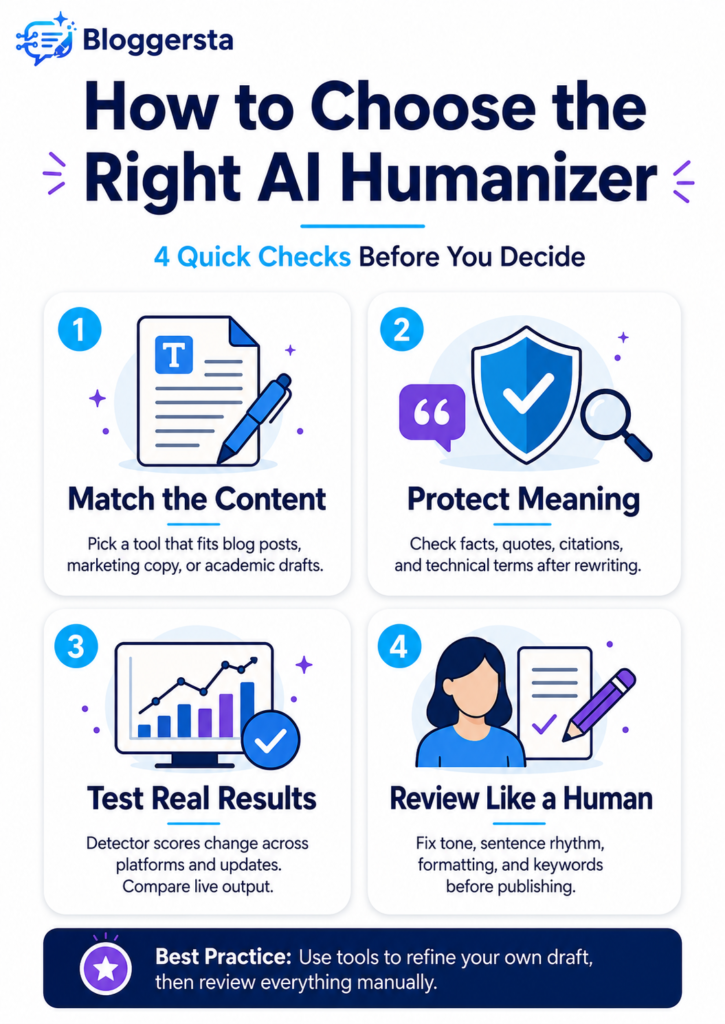
Start with your actual writing problem. Do you need clearer sentences, a different tone, shorter paragraphs, or better keyword retention?
Check these factors before subscribing:
- Content type: Blog posts and technical reports require different editing.
- Meaning preservation: Compare facts and arguments with the original.
- Citation handling: Confirm references remain in the correct places.
- Keyword retention: SEO phrases should still read naturally.
- Formatting: Tables, headings, and lists may break.
- Privacy: Avoid uploading confidential client or business data.
- Input limits: Some plans process only a few hundred words.
- API support: Teams may need integration rather than manual copying.
- Refund terms: Read cancellation rules before paying annually.
For SEO content, prioritize readability and factual accuracy. For technical writing, protect terminology. For high-volume workflows, calculate the real cost per processed word.
Clear source prompts also improve first drafts. Learning better prompt engineering may reduce how much rewriting the text needs later.
Manual Editing Rules for Better Writing
A humanizer should begin the editing process, not finish it.
First, vary sentence rhythm naturally. A short statement can create emphasis. A longer sentence can explain an idea that needs context.
Next, remove repetitive transitions and generic openings. Words such as “Moreover” or “Therefore” are not wrong, but repeated use makes writing predictable.
Check every:
- Citation
- Statistic
- Date
- Product name
- Technical term
- Quotation
- Keyword
- Legal or medical statement
Finally, add knowledge that came from you. Include a tested example, real observation, specific opinion, or original comparison.
That personal contribution matters more than artificial sentence variation. The limits of automated writing become clearer when comparing ChatGPT with human writers.
Also Read: How to Bypass AI Detection: 5 Free AI Text Humanizers (Tested & Ranked)
Can AI Humanizers Reliably Bypass Detectors?
No AI humanizer can reliably bypass every detector on every document.
Turnitin updated its model in February 2026 and already identifies text that may have been modified through bypasser or paraphrasing tools. Turnitin also states that its AI report can misclassify human, AI-generated, and AI-edited writing. The report should not be treated as definitive evidence by itself.
Independent research also shows that detector accuracy varies by genre, length, and mixed authorship. One 2026 study found both Turnitin and Originality struggled with hybrid texts. Research on AI-polished writing similarly found that detectors may flag lightly edited human work.
A detector score is an estimate, not proof of authorship.
Frequently Asked Questions
What AI Humanizer Can Bypass Turnitin in 2026?
No AI humanizer can guarantee a specific Turnitin result. Turnitin detects possible AI-generated, paraphrased, and bypasser-modified writing. Use humanizers only to refine your own permitted drafts, then follow your institution’s disclosure and academic-integrity rules.
Can an AI Humanizer Bypass Any AI Detector?
A rewrite may receive a lower score from one detector and a higher score from another. Results depend on the detector, text length, writing genre, and model version. Claims of universal or permanent success should be treated cautiously.
What AI Humanizer Can Bypass ZeroGPT?
No tool can promise consistent results on ZeroGPT. WriteHuman, GPTHuman, Clever AI Humanizer, and other services can change sentence patterns, but the final text still requires manual review for accuracy, readability, and honest disclosure.
is It Possible to Get 0% AI on Turnitin?
A report may display no detected AI writing, but that result does not prove human authorship. Turnitin hides exact scores below 20% because results in that range are less reliable and false positives are more likely.
What is the Best Free AI Humanizer?
Clever AI Humanizer offers free access, while WriteHuman, GPTHuman, WriteHybrid, QuillBot, and several competitors provide limited free usage. Compare output quality before purchasing because free limits and plan terms change regularly.
Final Thoughts
The best AI humanizer tools depend on whether you value readability, price, tone control, formatting, or workflow integration. WriteHuman offers the strongest overall starting point. Undetectable AI provides more controls, while GPTHuman AI focuses on smooth sentences. Hue Write suits smaller budgets, and StealthGPT serves automated workflows.
Still, no service can guarantee a lasting detector result. Use these tools to improve drafts you are permitted to edit. Then verify every fact, citation, keyword, and sentence yourself. Natural writing comes from clear thinking, real experience, and careful judgment—not simply from changing an automated score.