
Working on a browser all day can be quite messy. You open a tab for writing, one for research, then jump back into the previous tab to copy and paste to other tools. This endless ping-ponging slows everything to a crawl and can make even simple tasks feel like they’re taking years.
This is why browser-based AI is so useful now. The best AI Chrome extensions bring automation directly to you in Gmail, Google Docs, and LinkedIn, instead of hopping between apps. This means you can write, summarize, and manage content on the page where these words do what they do best — without leaving the environment.
- Instant Productivity Boost: Use AI directly inside websites without switching tabs.
- Smart Automation Tools: Handle writing, summaries, and data tasks automatically.
- Lightweight Performance: Keeps your browser fast while reducing manual work.
This guide reviews the 10 best AI Chrome extensions based on speed, privacy, pricing, and their effectiveness in improving everyday workflows.
Browser-Native Automation: How Do I Use AI in Chrome Safely?
The way AI works in Chrome is that it involves linking extensions to the browser itself. They show up as a sort of side panel, or an option to right-click within the web pages you’re challenging — so you can summarize content in just a click, rewrite text from the page, or extract key points without having to switch tabs. Unlike ad-blockers or cookie tools, the latest AI extensions have real-time access to live website data and can quickly parse this raw information into relevant summaries or actionable components as you surf the web.
This does fasten up the work, but it also puts extra load on your browser. Extensions naturally require some memory, and when many are open concurrently, your browser may lag, hang, or use too much memory. Therefore, to have a stable and smooth-running Chrome, it is wise to retain only the necessary extensions and get rid of the rest.
Extension safety guide
- Only allow site access when necessary
- Give AI access only to the current tab.
- Turn off unused background extensions
- The browser gets slow; check performance.
Also Read: 5 Best Free AI Face Swappers and Photo Editors (2026)
Top AI Browser Add-Ons At a Glance
These add-ons integrate with your browser, providing tools for writing, research, and automation that increase productivity. They live inside web pages, summarising content, helping with writing, and automating tasks, all without needing to switch applications or tabs.
| Extension Name | Primary Workflow Purpose | Native Model Engine | Free Tier Availability | Extension Permission Level |
| Grammarly | Writing correction and tone improvement | Proprietary AI | Yes | Medium (text field access) |
| Compose AI | Email writing and sentence completion | GPT-based AI | Yes | Medium |
| Sider | AI sidebar for browsing and summaries | GPT / Claude / Gemini | Yes | High (page access) |
| Monica AI | Summarization, translation, rewriting | GPT-based AI | Yes | High (selected content access) |
| Harpa AI | Web automation and page analysis | Hybrid AI agent | Yes | High (full page access) |
Reviewing the 10 Best AI Chrome Extensions for Ultimate Efficiency
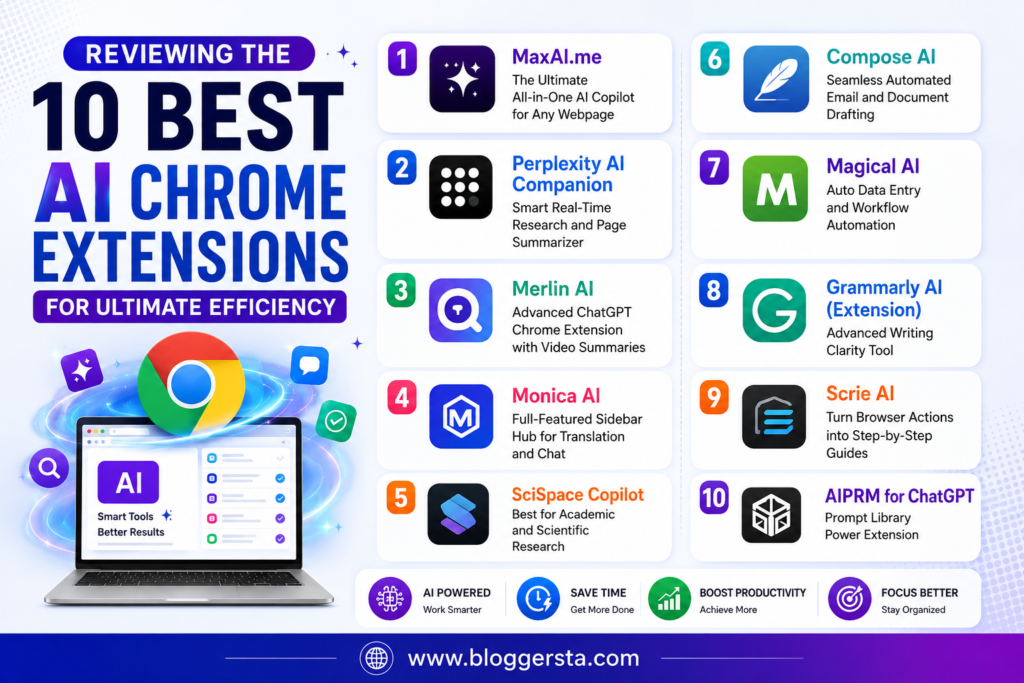
Below are the most powerful AI Chrome extensions that should reduce friction in your workflow, enable you to write faster, and automate browser-based tasks. You get a real-world skill and see how low the impact on latency is, as well as how well it integrates into live pages without wrecking layout flow per tool.
1. MaxAI.me – The Ultimate All-in-One AI Copilot for Any Webpage
MaxAI.me is your personalized AI layer across the web, enabling you to write, summarize, and edit anywhere on the page with just a few keystrokes. It links GPT-4o and Claude 3.5 Sonnet together, or multiple AI models, if you prefer an answerer for each specific part.
- Standout Feature: One-click prompt enhancements in Gmail reply boxes.
- Pros: Speedy sidebar, generous free plan, seamless text generation
- Cons: It is a little similar to a custom website layout UI sometimes
- Pricing: Starts at $12/month for Pro features
2. Perplexity AI Companion – Smart Real-Time Research and Page Summarizer
Perplexity AI Companion changes so you get real-time answers and qualified summaries right on the page you are looking for. This eliminates the hassle of switching between tabs and provides answers based entirely on what is visible.
- Feature: Responses limited solely to your open webpage
3. Merlin AI – Advanced ChatGPT Chrome Extension with Video Summaries
Merlin AI integrates ChatGPT-style intelligence into Google Search, YouTube, and social platforms; Fast summaries and replies right from inside your browser.
- Feature Checklist:
- YouTube video summaries
- Auto subtitle extraction
- Multi-language translation
- LinkedIn reply generator
4. Monica AI – Full-Featured Sidebar Hub for Translation and Chat
The deep learning-powered Monica AI works like a dedicated browser assistant, reading PDF text, summarizing pages, and generating structured outputs. It can operate across several AI models to achieve an adaptive outcome.
- Pros: Good sidebar workspace, multi-model
- Pros: no free message credits per day
5. SciSpace Copilot – Best for Academic and Scientific Research
SciSpace facilitates real-time, easy-to-understand explanations of research papers, math, and technical content — perfect for students or researchers.
- Highlight a scientific standout feature. Instant explanation.s
6. Compose AI – Seamless Automated Email and Document Drafting
Compose AI accelerates writing by generating entire responses within Gmail, Docs, and other web fields while matching your writing style by predicting sentences.
- Standout Feature: Tone shifting (casual ↔ professional)
7. Magical AI – Auto Data Entry and Workflow Automation
Magical AI ends the repetitive copy-and-paste work of moving info between platforms like LinkedIn, Salesforce, and Google Sheets.
- Feature Checklist:
- One-click data transfer
- CRM auto-filling
- Meeting workflow sync
8. Grammarly AI (Extension) – Advanced Writing Clarity Tool
Grammarly improves grammar, tone, and clarity across all websites and email platforms while offering AI-based rewriting suggestions.
- Pros: Strong writing accuracy, real-time correction
- Cons: Premium features locked behind subscription
9. Scrie AI – Turn Browser Actions into Step-by-Step Guides
Scribe automatically tracks your browser actions and translates them into structured guides with screenshots, which can be utilized for both training and documentation.
- Standout Feature: Auto-generated SOP documentation
10. AIPRM for ChatGPT – Prompt Library Power Extension
AIPRM provides ChatGPT with thousands of ready-to-use templates for SEO, marketing, coding and content creation.
- Standout Feature: 1-click prompt workflows for professionals
What Are the Best AI Extensions for Chrome Integration?
The new wave of successful AI Chrome extensions is integrated into everyday browsing, helping users write, research, and automate tasks right inside their browser. The best solutions are not optional; they serve as complete productivity layers on top of your tabs, emails, and documents. Depending on whether you need writing assistance, rapid research, or business automation within the Chrome ecosystem, it finds its own way.
1. Complete Writing & Sidebar Workflow: MaxAI.me
MaxAI.me is the best option for Chrome users looking to add writing, rewriting, and summarizing tools to a sidebar or directly on webpages. It works across Gmail, Google Docs, and any active tab, and it supports many AI models.
2. Fast Research & Instant Answers: Perplexity Companion
Try Perplexity Companion for instant and trustworthy research inside the browser. You have a summariser for live web pages, instant answers, and the ability to keep citations handy for fact-checking without opening multiple tabs.
3. Business Automation & Workflow Tasks: Magical AI
Magical AI is designed for business professionals handling repetitive tasks. It allows you to automate your data¹ entry, transfer between tools, and save on manual copy-paste tasks from one software, e.g., A CRM or spreadsheet, and what those people who are always using those tools need to do all the time.
Also Read: 5 Best AI Website Builders to Launch in 10 Minutes (2026)
Protecting Your Browser Privacy and Data Keys
- Check Permissions on “Read and Change Data”: Check your Chrome extension settings regularly and restrict access so that tools run only on certain websites. Please do NOT provide access to complete all tabs, because it will reduce further data exposure and make your browsing path safer.
- Avoid Sensitive Account Fields: Disable background extensions while using banking apps, payment dashboards, or financial platforms. This prevents you from accidentally reading data or interfering while handling important transactions.
- Verify Chrome Web Store Badges: Install only those extensions that are verified or reviewed in the Chrome Web Store. Developer badges and verification marks help ensure that the tool is safe from malicious data collection, hiding, tracking, etc.
FAQs
1. What is the best Chrome extension for productivity?
Extensions like MaxAI. Grammarly and Scribe – Because they save time on writing, research, and automate the workflow! — Must be used.
2. Which is the best AI extension for Chrome?
MaxAI. Perplexity Companion is an all-in-one writing help plus real-time research within the browser.
3. What is the most useful extension for Chrome?
Along with lots of new AI content-generation tools, one of the oldest uses of AI is a Chrome extension that answers questions!
4. Is there an AI extension for Chrome to answer questions?
Yes, tools like Perplexity AI Companion and Sider can answer questions directly from web pages with real-time context.
5. What are the benefits of Chrome extensions?
They enhance productivity, automate similar actions, minimize tab switching, and integrate AI into your browsing experience.
Conclusion: Turning Your Browser Into an Advanced AI Workspace
Modern browsing has evolved from opening websites to an interactive, intelligent workspace where AI extensions assist you with writing, research, and task automation. This change transforms basic web navigation into an effortless interaction between you and your digital tools.
A good balance of free Chrome AI tools depends on your workflow requirements, and avoiding overdoing them is likewise important. Since a utility with too many extensions may become sluggish and use excessive RAM, it is recommended to configure utilities judiciously.
Open the Chrome Web Store today, install MaxAI.me or Perplexity Companion, and start transforming your daily browsing into a faster, smarter productivity system.