
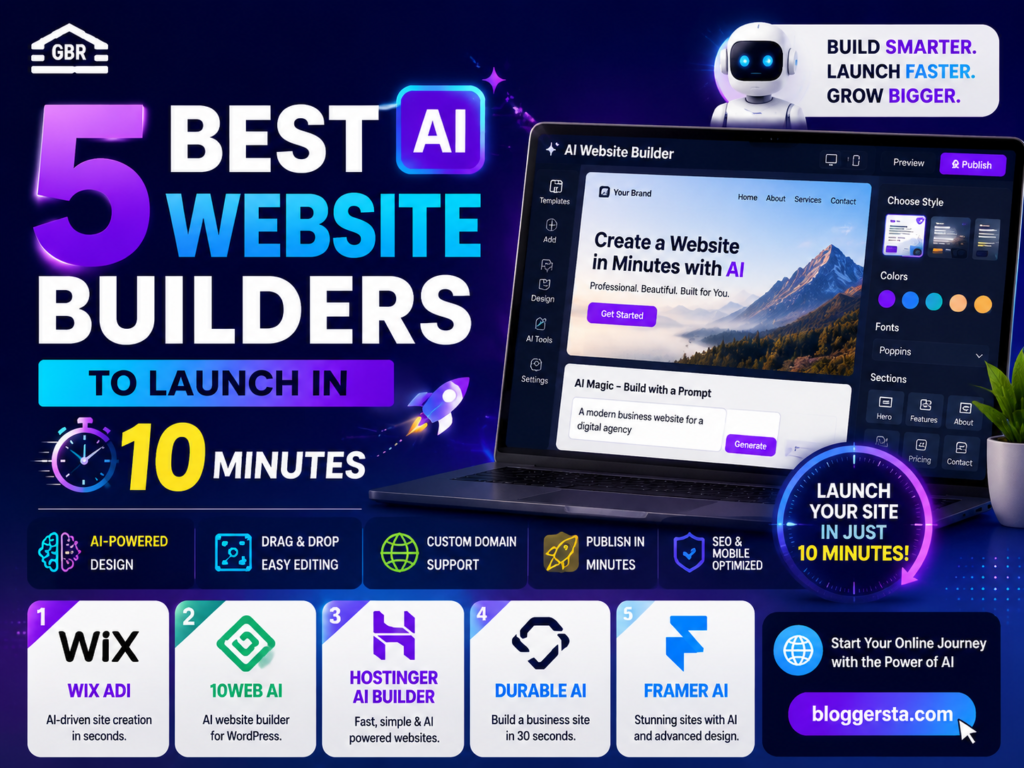
Building a website used to be frustrating. You either had to pay a developer hundreds or even thousands of dollars, wait weeks for changes, or spend hours trying to understand hosting, templates, and website settings. For many beginners and small business owners, getting a website online felt more complicated than it should be.
Today, AI website builders have changed that. You can simply describe your business or idea, and the AI will create a professional website in just a few minutes. It can build pages, add content sections, create mobile-friendly layouts, and even help with SEO. As someone who has worked with many website platforms, I’ve seen how these tools can save both time and money. In this guide, we’ll review the 5 best AI website builders based on design quality, ease of use, e-commerce features, customization options, pricing, and how well they help you build a website with AI for free.
- Create a website in minutes with a simple text prompt
- No coding, design, or technical experience needed
- Compare the best AI tools for blogs, businesses, and online stores
The Technical Reality: Can AI Build a Fully Functional Website?
Yes. Modern AI website builders can create fully functional websites from a basic text prompt. However, what AI can do really depends on what type of website you need. For more basic websites, AI can probably take care of everything. For more complex websites, AI can’t do it all on its own.
1. Simple Websites and Landing Pages (AI Can Handle Everything)
AI can build a website in minutes for portfolios, blogs, small-business websites, and landing pages.
What AI Does:
- Creates page layouts and website sections
- Writes basic content and headings
- Design mobile-friendly pages
- Chooses colors, fonts, and images
Popular Tools: platforms such as Wix AI and Framer AI can create a full website from a few sentences.
Also read: Top 5 AI Music Generators for YouTubers (No Copyright Concerns)
2. E-commerce and Advanced Websites (AI + Human Support)
For online stores or websites with advanced features, AI website builders is best as a helper when you need it, not as a replacement for everything.
What AI Does:
- Creates a design for the website layout and product page
- Generates content and design elements
- Builds the basic website structure
What Humans Still Handle:
- Payment gateways and checkout systems
- Custom databases and integrations
- User accounts and security settings
Popular Tools: Platforms such as Bolt. New and Replit, which are usually used in speeding up the development of websites and creating web apps.
Limitations You Should Know
Even the best AI website builders have some limitations:
- Generic Content: You’ll edit the AI-generated text to reflect your brand voice.
- Complex Integrations: custom features and advanced tools can be set up manually.
- Bug Fixing: If something breaks, you still have some knowledge of how to fix the code.
Top Prompt-to-Design Web Builders
Prompt-to-design web builders argue that they can take a plain idea written in text and transform it into full-blown AI website builders’ layouts, user interface designs, or even some ready-to-use code as output. Every tool comes with its pros and cons, whether you need quick wireframes, complete sites, or exportable files for developers.
| Software Name | Best Structural Use Case | Free Plan Availability | Exportable Code? | Starting Price (Paid Tier) |
| Framer AI | High-speed landing page creation with animations | Yes | Yes | ~$5/month |
| Relume AI | Sitemap planning and wireframe structuring | Yes | Yes (via Figma/Webflow) | ~$15/month |
| Galileo AI | High-fidelity UI mockups and app screens | Limited | No | ~$19/month |
| Webflow AI | Fully responsive websites with CMS control | Yes | Yes | ~$14/month |
| Uizard | Quick UI prototyping from text or sketches | Yes | Limited export | ~$12/month |
Reviewing the 5 Best AI Website Builder Applications
AI website builders have proven to be an effective way to get fully functional websites up and running without any code. Rather than spending weeks on design and layout and hosting set-up, these tools will write responsive pages, fill out content blocks and even basic SEO structures based on a simple prompt. The strengths of each platform depend on its speed, design quality, and full control over development.
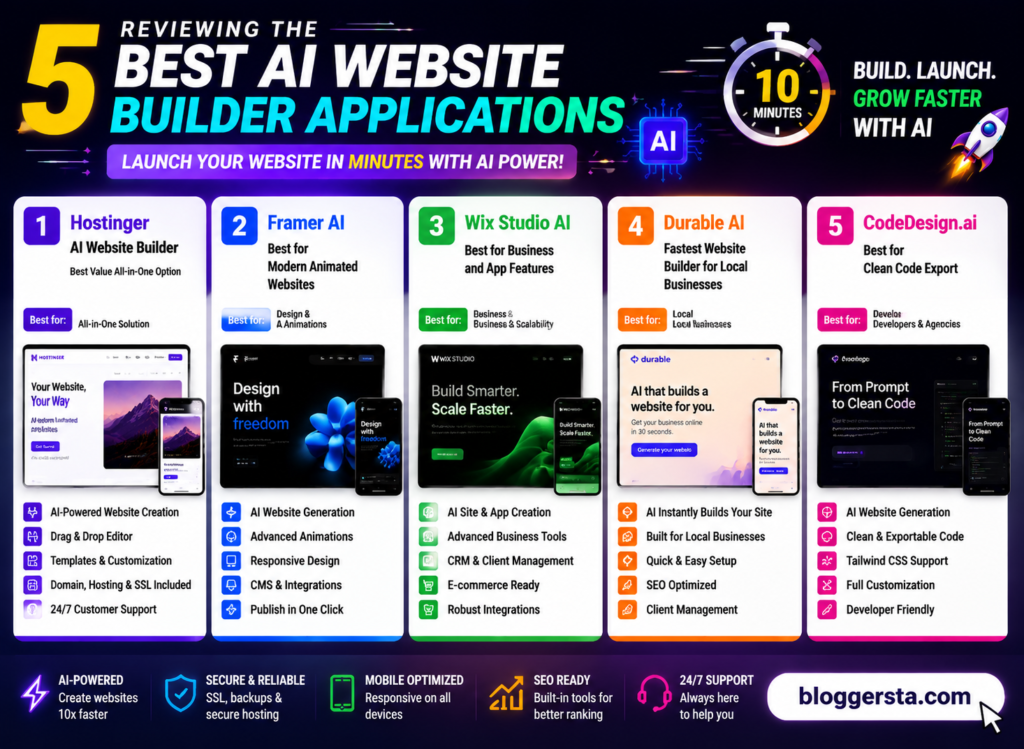
1. Hostinger AI Website Builder – Best Value All-in-One Option
Hostinger AI Builder is designed for users who want a complete website setup. If you want everything set up so you can start building a complete website without dealing with any technical stuff, Hostinger AI Builder is for you. When used in practice, it rapidly builds a complete website outline with only a small amount of input, such as your enterprise name and aim. In less than a minute, it generates pages with ready-made layout sections, stock pictures, and basic SEO metadata.
The system is excellent as it removes almost all manual setup work. The fact that you get hosting, design, and publishing in one place is quite convenient for small businesses and freelancers.
- Pros: Affordable hosting, fast global speeds, free domain with paid plans
- Cons: You cannot edit the layout once it is generated, so no flexibility.
- Pricing Structure: Starting from $2.99/month w/ hosting bundle plans
2. Framer AI – Best for Modern Animated Websites
Framer AI is an alternative most often used by startups and designers needing crystal-clear, premium-looking website UI components with fluid animations. It translates mere text prompts into structured web pages that already look like they were designed by a professional design team!
Layout accuracy and visual flow are two of its strong features, so you can find it perfect for landing pages/products showcases.
- Highlight Feature: Direct Figma integration to convert designs into an interactive live website
3. Wix Studio AI – Best for Business and App Features
Wix Studio AI combines advanced business functionality with design. It does all the complicated stuff like booking systems, customer accounts, and product management without any coding required.
- Content-Powered Automated Layouts
- Mobile and Tablet Version Responsive design
- Native CMS and tools for running a business
4. Durable AI – Fastest Website Builder for Local Businesses
Durable AI functions at the speed of business. Simply by entering your city, it can create a complete website for local services such as plumbers, consultants, and agencies in less than 30 seconds. It automatically creates basic contact pages, service sections, and business descriptions.
- Pros: Quick setup, great for service-type small businesses, simplicity
- Cons: Not for large-scale e-commerce or Heavy platforms
5. CodeDesign.ai – Best for Clean Code Export
CodeDesign. AI is the choice for developers who want AI speed without sacrificing manual control. You can use it to create an AI-powered site and then get clean, production-ready code for custom deployment.
- Best Feature: The code is neat and easy for developers to modify
Strategic Evaluation Matrix: Easiest AI Website Builders for Non-Technical Users
- Durable – Best for Zero-Friction Simplicity (Local Businesses)
Durable is your best choice if you only want to launch a website as soon as possible without getting into any technical settings. It is designed for those who just want to have a site up and running immediately for cleaning, plumbing, consulting, or small urban businesses. You never have to worry about layout or content; the AI does it automatically!
- The best option when you want a webpage live in less than 60 seconds and nearly zero editing involved.
- Hostinger AI Website Builder – Best Balance of Price + Ease + Features
If you want something simple but more flexible for the long term, Hostinger AI is great. It generates a complete website from a simple description and combines hosting, design, & basic SEO tools into one package. It’s just simple enough to feel like a novice interface but sufficient for an authentic commercial application.
- Top selection for those who prefer profitability+ full website system.
- Framer AI – Best for Creative Control and Modern Design Quality
Framer is the best option if design quality and visual branding matter more to you than pure simplicity. Produces trendy, animated, and sophisticated layouts that appear to be the work of a custom agency. It is a bit more involved than the other ways, but it offers much greater control over design detail.
- Ideal for users who want beautifully crafted, premium-class websites without creative restrictions.
Also read: 5 AI Video Editors to Make Viral TikToks and Reels (2026)
Key Optimization Checklist Before Launch
A few last-minute technical checks before launching the site ensure that it works well on all devices, builds authority, and ranks properly in search engines.
- Mobile Optimization Pass: Conduct a thorough review of how your layout and content columns shift around on mobile. Users should be able to read the content without having to zoom or scroll side to side; everything should stack nicely.
- Custom Domain SSL Setup: Make sure your SSL is enabled in your hosting dashboard. Having a secure SSL connection not only protects user data but also enhances trust and credibility in browsers.
- SEO Tag Injection: Refine your meta titles, descriptions, and image alt-text. So, use the suitable keywords that you can find for high-intent local searches to show up better on Google.
Frequently Asked Questions
Q:1 Do I need coding knowledge to use AI website builders?
No, you don’t need any coding skills. These tools are designed for beginners. You can simply enter your idea or answer a few simple questions, and the AI builds a complete website for you in minutes.
Q:2 Can I edit the design after it’s created?
Yes, you can easily edit everything even after the website is generated. You can change text, images, colors, and layout anytime. Most platforms also allow drag-and-drop editing for quick and simple customization.
Q:3 Do these tools include hosting and domains?
Yes, many AI website builders include hosting as part of their service. You can also connect your own custom domain, especially on paid plans, which helps you build a more professional online presence easily.
Q:4 Are AI-built websites good for SEO?
Yes, most AI-built websites come with basic SEO features. They automatically add meta tags, mobile-friendly design, and clean structure, which helps improve your visibility on search engines over time.
Q:5 Which website is best to start with?
The best website depends on your needs and budget. Some tools are better for beginners, while others offer advanced features. If you share your goal, I can suggest the most suitable option for you.
Conclusion: Launching Your Digital Real Estate without the Tech Hassles
AI website builders used to be a technical problem confined to developers. Today, it’s about shaping ideas, outlining your brand, and designing how you want users to interact with your content, not writing complex code. Modern AI tools are taking the reins on layout creation, responsiveness, and basic structure in a few clicks, within minutes. It has never been easier to publish something on the web.
The question boils down to this: you want a quick setup without sacrificing long-term flexibility if you plan to scale features or customize the code later.
Try platforms like Hostinger or Framer today and put your business idea in, you thought it had it all generated on all devices within a minute.