
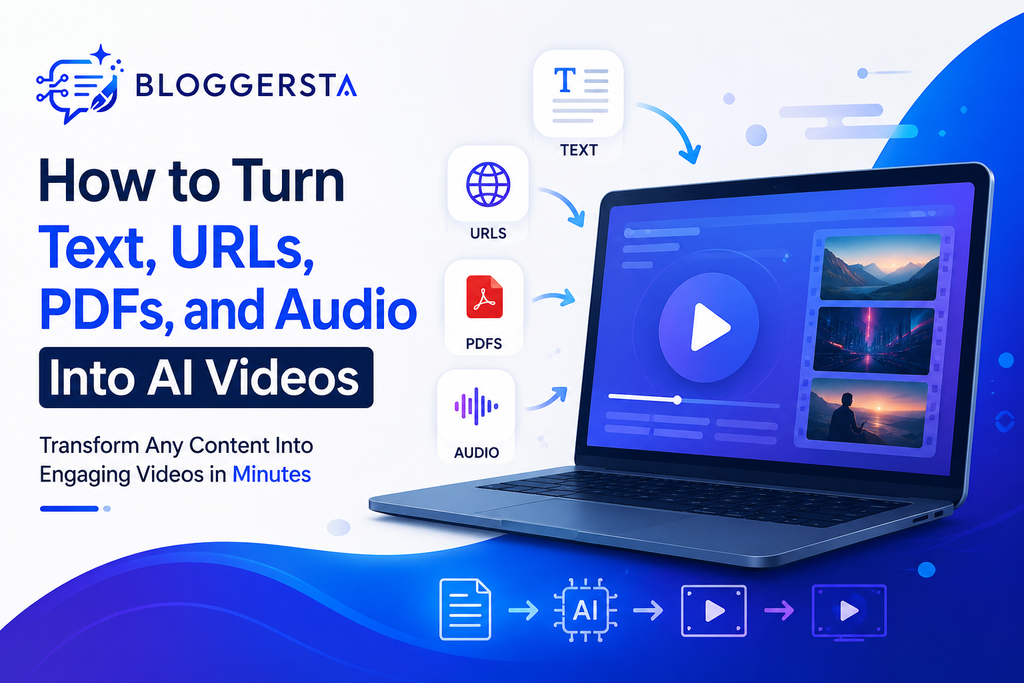
The process of making a video does not begin with a camera or an editing timeline. You can begin by using content you already have. According to the Content Marketing Institute, 85% of enterprise marketers utilized AI video last year. Another 55% said AI videos produced good results.
Audio offers another huge source of material. According to Edison Research, 51% of Americans aged 12 and up have viewed a AI video podcast. In addition, podcast listening has increased by 355% since 2015.
Therefore, how do you convert a blog post, webpage, PDF, or recording into an AI video?
Quick Answer
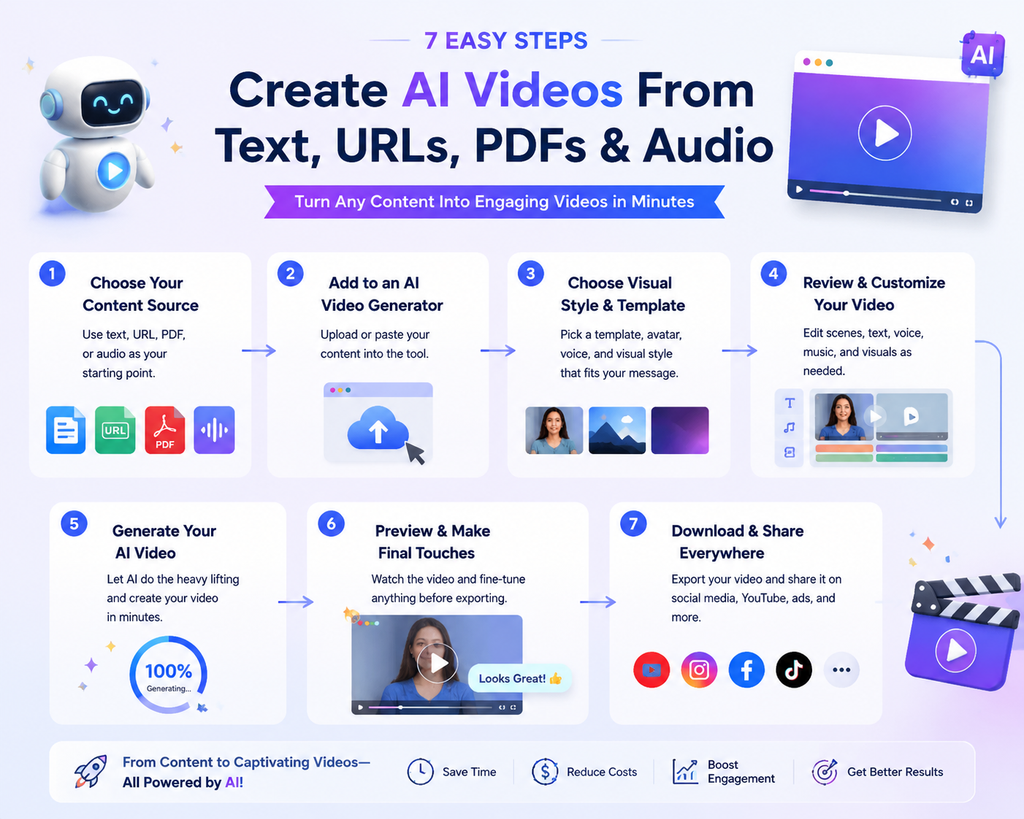
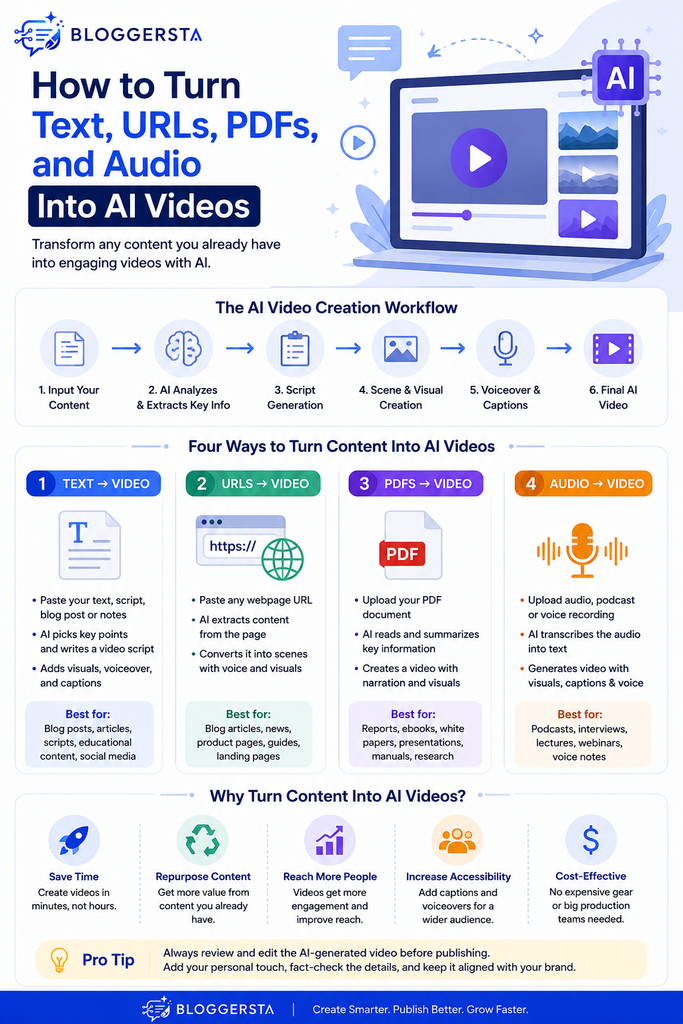
An AI video generator can turn text, URL links, PDF documents, and audio into AI videos. The tool reviews the information and generates a script, scenes, voiceover, captions, and visuals. You can review the result before publishing it. The workflow is usually:
The process involves sourcing content, processing it with AI, writing a script, adding scenes, applying voiceover, visuals, captions, reviewing by humans, and finalizing the video.
How We Evaluated AI Video Workflows
A tool can generate a AI video quickly without producing a useful one. That distinction matters. I looked at four practical factors when comparing these workflows.
Source Flexibility Matters
The best AI video generator should accept the content you already own. Switching between separate tools can create unnecessary friction. A flexible platform can shorten the journey from source material to finished video.
Editing Control Still Matters
AI can make the first version. You should still control the final version. Check the script, scene order, visuals, captions, pronunciation, and pacing before publishing.
Accuracy Comes Before Visual Polish
A beautiful video with incorrect information is still a poor video. This becomes especially important when converting PDF documents, research, product pages, or technical content.
Repurposing Should Save Real Time
The goal is not merely to generate another video. The real benefit is transforming existing content assets into additional formats without rebuilding everything manually.
How to Turn Text Into an AI Video
Text is likely the simplest beginning point for AI video generation. A script, blog post, social media caption, product description, or even a rough outline will work.
1. Prepare Your Text
Start with content that has one clear purpose. Remove unnecessary repetition and unsupported claims.
Good source material includes:
- Blog posts
- Articles
- AI Video scripts
- Product descriptions
- Educational notes
- Social media posts
- How-to guides
- Marketing copy
Shorter paragraphs also help AI identify natural scene changes.
2. Add the Text to an AI Video Generator
Paste your script or written content into the tool. Some platforms can also generate a script from a simple topic. Revid AI supports text prompts, scripts, article content, and URLs. It can generate visuals, voiceover, captions, and other AI video elements from the supplied material.
If you want to compare different platforms, explore Bloggersta’s best text-to-video AI tools for more options.
3. Choose the Visual Direction
Choose the format before generating the final version.
For example:
- 9:16 for Shorts and Reels
- 16:9 for YouTube
- 1:1 for selected social posts
You can then choose stock footage, AI visuals, animated images, or other available media.
4. Review the Generated AI Video
Never treat the first generation as the finished product.
Check whether the visuals actually match the narration. Remove scenes that feel generic. Correct ill-structured sentences and substitute misinformation captions.
Best for: blog-to-video, explainer, educational, and social media video clips.
See our guide to AI Video Generator vs AI Video Editor: What’s the Difference? to understand the difference.
How to Turn a URL Into an AI Video
A URL is particularly useful when you already have a published article. You don’t need to copy the whole article by hand; just paste the webpage address into an AI video generator.
The steps for capturing audio are: URL, Content extraction, Key points, Script, Scenes, Voiceover, Captions.
1. Choose the Right URL
Use a page with useful written information.
Good examples include:
- Blog articles
- Product pages
- Tutorials
- Guides
- News explainers
- Landing pages
- Educational resources
2. Paste the URL
Add the webpage address to a URL-to-video tool. The AI reads the accessible content, then identifies the information needed for the video.
Pictory currently supports converting URLs, blog links, and webpages into AI videos with generated visuals, captions, AI voices, and avatars.
3. Check the Extracted Information
This step is easy to overlook.
A webpage can contain navigation elements, unrelated sections, advertisements, or other material. Review the generated script before creating the final video.
4. Customize the AI Video
Choose the voice, visual style, aspect ratio, music, and captions.
Then generate the first version.
Best for: publishers, bloggers, affiliate marketers, and businesses that already have web pages.
Learn Best AI Product Video Generators for Ecommerce Stores in 2026 and repurpose existing content more efficiently.
How to Turn a PDF Into an AI Video
PDFs contain valuable information that often stays trapped inside static documents. Reports, presentations, guides, manuals, and educational resources can all become more accessible through video.
Pictory currently offers a dedicated PDF-to-video workflow. Its platform also connects PDF conversion with text, URL, audio, and presentation-to-video features.
1. Upload Your PDF
Start with a readable PDF. Text-based documents generally provide cleaner source material than poorly scanned pages.
Useful PDF types include:
- Research reports
- Training manuals
- White papers
- Presentations
- Product guides
- Course materials
- Company reports
2. Let AI Extract the Main Ideas
Do not assume every sentence belongs in the final video. A good workflow extracts the strongest information first.
Focus on:
- Main findings
- Important statistics
- Key recommendations
- Important steps
- Conclusions
- Customer benefits
3. Turn Those Ideas Into Scenes
The AI can transform selected information into a video structure.
For example:
PDF report → Summary → Five key findings → Narration → Visual scenes → Captions
This creates a more digestible result than reading every paragraph aloud.
4. Fact-Check the Result
This is particularly important for technical and research-heavy PDFs. Compare statistics and terminology against the original document.
Best for: educational videos, training material, reports, presentations, and document summaries.
Watch for: scanned PDFs may require additional text recognition before the information can be used effectively.
How to Turn Audio Into an AI Video
Audio-to-video conversion is especially useful for creators who already record content. You could start with a podcast episode. An interview or webinar, lecture, voice recording, or existing narration may also be used. That makes audio an increasingly valuable source for visual repurposing.
1. Upload Your Audio
Upload your recording in a supported format. The AI can analyze the speech and then create a transcript or captions. Revid’s audio-to-video workflow supports uploaded audio and automatically adds captions and relevant visuals.
2. Identify the Strongest Moments
A 45-minute podcast doesn’t have to be a 45-minute video.
Instead, identify:
- Strong opinions
- Useful tips
- Interesting stories
- Important questions
- Surprising facts
- Memorable statements
3. Add Supporting Visuals
The AI can pair spoken information with visual media. You can use stock footage, generated images, animations, captions, or waveform effects.
4. Create Multiple Versions
One recording can produce several pieces of content.
For example:
Podcast → Full video → Three short clips → Quote video → Educational Reel
Content repurposing is a tool that is really beneficial here.
Best for: podcasters, coaches, educators, interviewers, and social media creators.
Watch for: When names, technical terms, or unusual words are used by the speakers, the captions need to be manually reviewed.
Text vs URL vs PDF vs Audio: Which Input Should You Use?
Your starting format should determine the workflow.
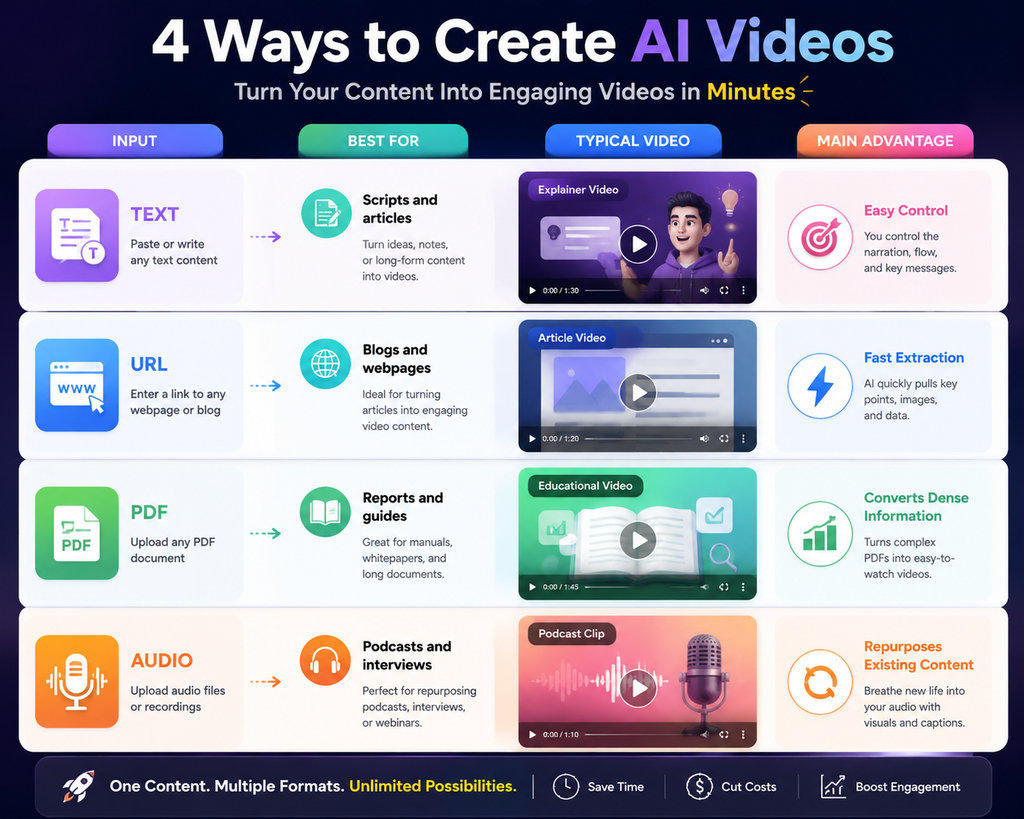
There is no better input format. The best answer is one that aligns with your current content workflow.
Best AI Tools for Turning Existing Content Into Video
1. Revid AI — Best for Fast Multi-Format Repurposing,
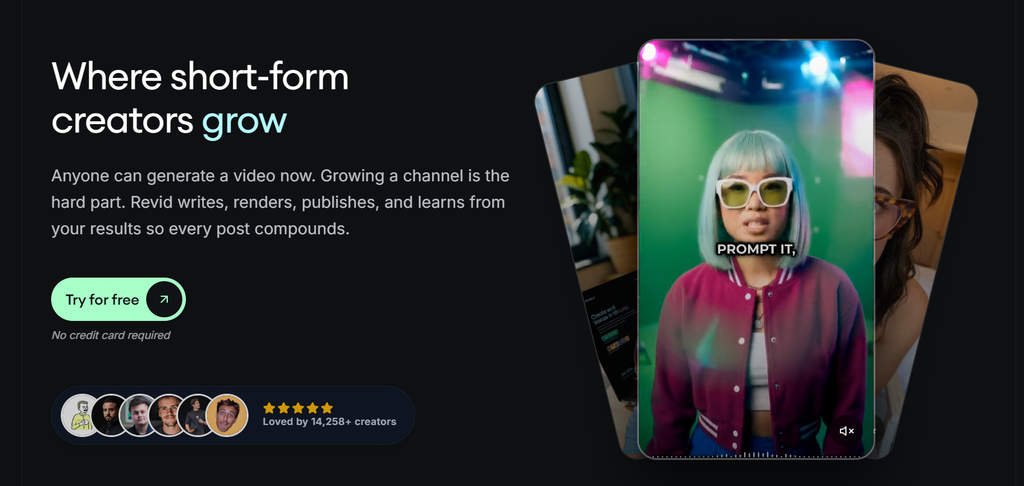
Revid AI works well when you want to move quickly from source material to short-form AI video. It currently handles text, URL, PD,F and audio workflows. Revid can provide voiceovers, captions, graphics, and platform-friendly formats from various content sources. It also provides dedicated article-to-video and audio-to-video workflows.
Best for: creators, bloggers, short-form marketers, and content repurposing.
Watch for: review the generated visuals and claims before publishing.
2. Pictory — Best for Articles, URLs, PDFs and Audio
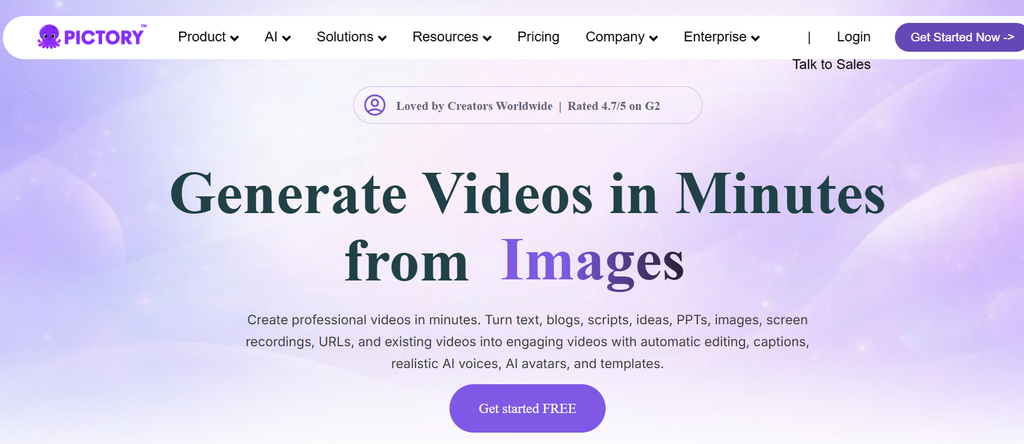
Pictory AI becomes helpful when dealing with multiple source formats in your AI video generation workflow. It now works on text-to-video, URL-to-video, PDF-to-video, and audio-to-video workflows. It can also add captions, AI voices, visuals, and avatars. This is ideal for content creators who have a library of written and recorded material.
Best for: bloggers, educators, marketers, and content teams.
Watch for: always improve the AI-generated script before making it public.
How to Make AI-Generated Videos Better
AI can handle much of the production work. Human judgment still determines whether the result feels useful.
Keep One Main Idea Per Video
Do not cut a whole article into one quick video! Choose the best idea and develop it.
Rewrite for Spoken Language
Written sentences can sound stiff when narrated. Shorten complicated phrases before generating the voiceover.
Match Visuals With the Message
A generic stock clip may fill the screen without adding meaning. Choose visuals that actually reinforce the narration.
Check Every Statistic
AI can misread source material or introduce unsupported claims. Compare important numbers against the original source.
Fix Captions
Captions should be clear and correct. Names, jargon, numbers, and abbreviations require special focus.
Add Your Brand
When creating videos consistently, stick to the same font, colors, logos, voice style, and visual conventions.
Common Mistakes to Avoid
The easiest way to create a weak AI video is to automate everything without reviewing anything.
Avoid these mistakes:
- Converting every paragraph word-for-word
- Using unrelated stock footage
- Publishing without fact-checking
- Ignoring captions
- Making videos unnecessarily long
- Using robotic narration
- Forgetting brand consistency
- Treating the first AI generation as final
AI should handle repetitive production work. Your judgment should handle quality control.
FAQs
Can I turn a blog post into an AI video?
Yes. You can paste the text into an AI video generator or use the article URL. The tool can extract the main ideas, then create a script, scenes, narration, and captions.
Can I convert a website URL into a video?
Yes. URL-to-video tools can analyze accessible webpage content and transform it into a video structure. Always review the extracted information before publishing.
Can I turn a PDF into a video?
Yes. AI tools can analyze supported PDFs and convert their important information into narrated visual content. Reports, presentations, guides, and educational documents are helpful resources to start with.
Can I turn a podcast into a video with AI?
Yes. Upload the audio and let the AI transcribe the text, then match it with the visuals and captions.
What is the easiest content format for AI video?
Text is usually the simplest starting point because scripts already contain the information needed for narration. URLs are also convenient when the content is already published online.
Should I publish an AI video without editing it?
No. Always check the script, visuals, captions, pronunciation, and factual statements. AI generation is best used as a tool for quality control.
Can one piece of content create multiple videos?
Yes. One article, podcast, or PDF can yield multiple videos. To make long-form content and then cut it up for various social media platforms.
Conclusion
There is no need to start with a blank timeline for each video project. A blog post can become an explainer. A URL can become a social video. A PDF can become a visual summary. An audio recording can be divided into several short clips. The real opportunity is content repurposing. Begin with what you have. Select an AI workflow with the same format. Then review the generated video before publishing it.
For fast multi-format creation, Revid AI is worth exploring. For broader workflows involving articles, URLs, PDFs, and audio, Pictory AI provides several useful conversion options.
The goal is to create more useful video content without rebuilding everything from scratch.
Need more practical AI content creation guides? Explore more AI tools and workflows on Bloggersta.
2 Responses