
You have a script, a decent idea, and zero desire to appear on camera. The next question usually sounds simple: which AI tool should turn that idea into a faceless video?
Then you meet Revid AI and InVideo AI.
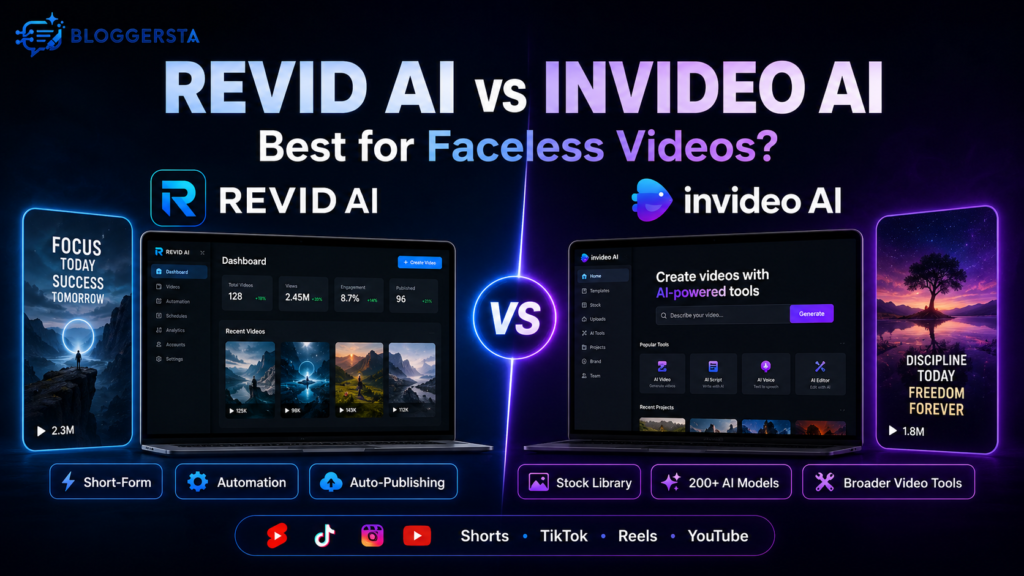
Both can generate videos without filming yourself. Yet they approach the job differently. InVideo AI feels like a large creative toolbox. It handles prompt-to-video production, stock footage, AI models, avatars, voiceovers, and several video formats. Revid AI feels more like an assembly line built around short-form publishing.
Quick answer:
Revid AI is the stronger fit for creators focused mainly on automated faceless TikToks, Instagram Reels, and YouTube Shorts. InVideo AI makes more sense when you need broader video formats, more stock options, many generative models, and conversational editing. Current product features support that distinction.
So, which should you actually pay for? Let’s put them side by side.
Revid AI vs InVideo AI: Quick Verdict
The easiest way to choose is to ignore the feature count for a minute.
Instead, ask what happens every week.
Do you want to create lots of faceless shorts, schedule them, then repeat the process automatically? Revid AI has the clearer advantage.
Do you create ads, explainers, longer videos, YouTube content, and short videos from the same workspace? InVideo AI is more flexible.
| Category | Revid AI | InVideo AI | Better Fit |
| Faceless Shorts | Short-form focused | Strong faceless tools | Revid AI |
| General Video Creation | Good | Broader ecosystem | InVideo AI |
| Stock Media | AI-first workflows | Large stock ecosystem | InVideo AI |
| AI Model Choice | Current video models | 200+ supported models | InVideo AI |
| Editing Style | Editable creation workflow | Conversational AI editing | Depends |
| Publishing | TikTok, Instagram, YouTube | Creation/export focused | Revid AI |
| Automation | Auto-Mode workers | Broader AI workflows | Revid AI |
| Lowest Paid Entry | $39/month | $17/month billed yearly | InVideo AI |
| Free Access | Start without a card | Limited free plan | Both |
InVideo’s current paid plans include access to more than 200 image, video, audio, and music models plus stock providers such as iStock and Storyblocks. Revid’s current Growth plan emphasizes direct social publishing, 100+ AI video tools, 70+ language voiceovers, and Auto-Mode workers.
Try Revid AI for Faceless Videos →
How We Compared Revid AI and InVideo AI
A comparison becomes useless when one tool gets praised for twenty features while the other gets judged on three.
So, this comparison focuses on the workflow a faceless creator actually cares about.
We looked at:
- Video creation: How each platform moves from idea to finished video.
- Faceless workflow: Voiceovers, visuals, captions, scripts, and avatars.
- Editing: How easily you can fix weak scenes.
- Media choice: Stock footage versus AI-generated assets.
- Automation: What happens after the first video is finished.
- Publishing: Whether the tool reduces upload work.
- Pricing: Not just the bill, but what the plan includes.
- Use case: Shorts versus broader video production.
We also checked current official documentation rather than relying on old comparison pages.
For a true hands-on benchmark, the fairest test would use the same 45-second prompt in both platforms and compare generation time, edits, credits, and final quality. Those measurements should never be invented.
Core Focus and Workflow: Specialist vs General-Purpose Suite
This is the biggest difference between the two tools.
They’re both AI video generators, but they aren’t really trying to solve exactly the same problem.
Revid AI Focuses on Short-Form Content Workflows
Revid AI leans heavily toward fast, repeatable social content. Its current platform accepts prompts, scripts, URLs, product pages, audio, and PDFs as starting material. From there, creators can generate, edit, publish, and automate short-form videos.
That opens several practical workflows:
- Blog-to-video: Turn an existing article into a short clip.
- URL-to-video: Use source content instead of starting from zero.
- Faceless videos: Combine AI visuals, captions, and narration.
- Short-form publishing: Prepare TikToks, Reels, and Shorts.
- Recurring content: Use Auto-Mode for repeatable workflows.
- Content repurposing: Turn existing material into new social formats.
Its dedicated faceless generator, for example, can accept a script or URL and produce vertical 9:16 videos with AI visuals, narration, and captions.
That focus makes sense for creators chasing consistency rather than cinematic perfection.
If you already publish short-form content regularly, our guide to AI video editors for TikToks and Reels gives this workflow more context.
InVideo AI Covers a Wider Creative Playground
InVideo AI casts a wider net.
Its AI video generator can create scripts, clips, subtitles, music, transitions, and voiceovers from text prompts. It also supports marketing videos, explainers, social videos, and other formats beyond simple faceless Shorts.
The platform gets especially interesting when you look under the hood.
All current paid plans provide access to 200+ image, video, audio, and music models, including current models from several major AI providers. Paid plans also include premium stock sources such as iStock and Storyblocks.
In plain English, InVideo gives you more raw material.
That’s useful when your week might include a YouTube explainer on Tuesday, an ad on Wednesday, and three social clips by Friday.
For a deeper look at that side of the platform, read our InVideo AI review for faceless YouTube videos.
Which Creates Better Faceless Videos?

This is where marketing pages stop being enough.
A faceless video needs more than technically correct footage. The hook must land quickly. The narration has to feel natural. Visuals should match the script, and captions shouldn’t look like they arrived from another planet.
The best comparison uses one identical prompt:
Create a 45-second vertical faceless video about three productivity habits. Use an energetic voiceover, bold captions, relevant visuals, background music, and a strong opening hook.
Then score both tools on:
| Test | What Matters |
| Hook Quality | Does the opening create curiosity quickly? |
| Script | Does it sound natural or generic? |
| Visual Relevance | Do scenes match the narration? |
| Voiceover | Does the narration sound believable? |
| Captions | Are they accurate and easy to follow? |
| Pacing | Does the video move quickly enough? |
| Manual Editing | How much cleanup is needed? |
| First-Draft Readiness | Could you realistically publish it? |
Based on product design rather than invented test scores, Revid has a natural advantage when the target is short-form social output. Its faceless tools are explicitly built around TikTok-ready vertical videos, Shorts, and Reels.
InVideo’s advantage is flexibility. Its broader model and stock ecosystem gives creators more ways to shape the visual direction.
So there’s no magic winner here. The finish line matters.
Key Feature Comparison for Faceless Creators
Features only matter when they remove work. Otherwise, they’re decoration on the box.
Media, Stock Assets, and AI Visuals
This category favors InVideo AI if variety is your priority.
Its paid plans currently include top stock providers and access to over 200 generative image, video, audio, and music models. Its help documentation also confirms that AI can pull media from libraries such as Storyblocks, Shutterstock, and iStock during generation.
That makes InVideo attractive when you need polished stock footage alongside generated material.
Revid takes a more workflow-led approach. Its current plans promote AI video models, millions of remixable viral videos, avatars, face swaps, scripts, hooks, voiceovers, and 100+ video tools.
The difference is subtle but important:
InVideo gives you a bigger toolbox. Revid tries to get the job through the factory faster.
Editing Control and Conversational Changes
InVideo AI leans heavily into prompt-driven creation.
Rather than rebuilding everything manually, you can guide video generation and make changes through AI workflows. The broader InVideo ecosystem also includes a more traditional online editor with templates, uploads, animation, and stock media.
That flexibility suits people who sometimes want AI to do the work and sometimes want their hands back on the wheel.
Revid keeps more of its value tied to rapid short-form production. The Hobby plan includes editable short-form videos, while Growth adds publishing, performance data, remix tools, scripts, voiceovers, and automation.
Neither approach is universally easier.
If you like saying, “Replace this clip and change the voice,” InVideo’s AI-heavy workflow feels natural. If your main goal is getting short videos through a repeatable production pipeline, Revid has the cleaner pitch.
Voiceovers, Captions, and Faceless Presentation
Both platforms can remove the need to stand in front of a camera.
Revid’s current Growth plan lists 70+ language voiceovers, AI avatars, face swaps, scripts, and rewrites.
InVideo’s current Plus plan includes four AI avatars and voice clones, while higher plans increase those limits significantly.
That’s useful for storytelling channels, explainers, list videos, educational clips, and niche pages.
Still, voice quality is one area where feature lists tell only half the story. Listen before you commit. A technically impressive voice can still sound wrong for your brand.
For more voice-focused options, Bloggersta also covers AI tools for content creators, including dedicated audio and voice platforms.
URL-to-Video and Content Repurposing
This is one of Revid’s more useful advantages.
You can start with an existing URL or content source rather than rebuilding every idea manually. Its main platform explicitly supports URLs, product pages, audio, PDFs, and other content inputs.
Picture a blogger publishing a 1,500-word guide Monday morning.
Instead of writing another social script Tuesday, they can repurpose that source into a short video. One idea starts doing two jobs.
That’s particularly attractive for bloggers, affiliate marketers, and content teams with large existing libraries.
Publishing and Automation: Which Saves More Work?
This category gives Revid its clearest edge.
Revid’s current social publishing tools can schedule and auto-publish directly to YouTube, TikTok, and Instagram. Its documentation also lists bulk scheduling and cross-platform publishing from one dashboard.
Then Auto-Mode pushes things further.
Revid describes Auto-Mode workers as always-on pipelines. You configure a content source and workflow, then the system can generate fresh videos and optionally publish them automatically.
That matters if you’re running a faceless channel where volume is part of the strategy.
InVideo clearly creates platform-ready social videos, but the current official materials reviewed for this comparison emphasize generation, editing, models, assets, and exports rather than an equivalent Revid-style Auto-Mode publishing pipeline. That’s an inference from the current product documentation, so features should always be rechecked before buying.
If automation itself is your bottleneck, you may also find our guide to AI social media tools useful.
Revid AI vs InVideo AI Pricing and Free Access
Pricing looks simple until credits enter the room.
Here’s the current picture:
| Pricing Factor | Revid AI | InVideo AI |
| Entry Paid Plan | Hobby: $39/month | Plus: $17/month billed yearly |
| Creator Tier | Growth: currently $39 promotional | Max: $85/month billed yearly |
| Higher Usage | Ultra: $199/month | Generative: $170/month |
| Revid Growth Credits | 2,000/month | — |
| InVideo Plus Credits | — | 75/month |
| Free Access | Start without credit card | Limited free plan |
| Automation | Auto-Mode included by plan | Different workflow focus |
Revid currently lists Hobby at $39/month, Growth at a promotional $39/month instead of $99, and Ultra at $199/month. Growth includes 2,000 monthly AI credits and three Auto-Mode workers.
InVideo currently lists Plus at $17/month billed annually, Max at $85, Generative at $170, and Elite at $900. Credit allocations and other limits rise with each tier.
InVideo also offers a limited free plan without requiring card details, and its free quota currently resets weekly.
Revid, meanwhile, lets users start without a credit card according to its current pricing page.
Pricing checked: August 2026. Plans and promotions can change.
The smarter question isn’t “Which subscription is cheaper?”
Ask:
- Credits: How many does one usable video consume?
- Retries: How often do scenes need regenerating?
- Editing time: How long until the video is publishable?
- Extra tools: Will you still need another editor?
- Publishing time: Does automation save meaningful hours?
A $39 tool can be cheaper than a $17 tool if it removes three other subscriptions. The reverse can also be true.
Check Current Revid AI Pricing →
is Revid AI a Good InVideo AI Alternative?
Yes, Revid AI is a credible InVideo AI alternative when faceless short-form video is the main job. It becomes less obvious if you need a broader creative environment.
Choose Revid AI If:
- Short-form comes first: Most of your work is TikTok, Reels, or Shorts.
- You run faceless channels: Scripts, captions, visuals, and narration need to move quickly.
- You repurpose content: Blogs, URLs, recordings, and source material become videos often.
- Publishing wastes time: Direct scheduling matters to your workflow.
- You want automation: Auto-Mode fits repeated content production.
- You value speed: You’d rather publish consistently than tweak every frame.
Choose InVideo AI If:
- You make mixed video formats: Shorts are only one part of your workload.
- Stock footage matters: Premium stock options add real value.
- You want model choice: Access to many generative models matters more.
- You use AI avatars: Current paid tiers offer avatar and voice-clone allowances.
- You prefer flexible creation: You want AI generation plus a wider editing ecosystem.
- Budget matters initially: Its current entry paid plan costs less annually.
This is why searches for websites like InVideo AI, software like InVideo AI, and InVideo AI alternatives shouldn’t lead to one universal recommendation. The right alternative depends on what you’re trying to replace.
Final Verdict: Revid AI vs InVideo AI for Faceless Videos
For creators building high-volume faceless Shorts, TikToks, and Reels, Revid AI gets my recommendation. Its strongest argument isn’t simply video generation. It’s the connected path from source material to creation, publishing, scheduling, and repeatable automation.
InVideo AI is the better all-rounder. Choose it when stock libraries, broad video formats, generative model choice, avatars, and flexible editing matter more than social publishing automation.
Think of it this way.
InVideo AI is the larger production toolbox. Revid AI is the more focused short-form production line.
Neither is automatically better. The winner is the one that removes the most friction from the videos you actually publish.
If Revid sounds closer to your workflow, try Revid AI for your next faceless video →.
You can also compare its strengths against another popular approach in our Revid AI vs HeyGen guide.