

Okay so here’s something nobody tells you upfront: “free” means something very different depending on which AI writing tool you’re looking at. For some it means 10 messages a day. For others it’s a 2,000-word monthly cap. And for one or two, free is actually… genuinely free enough to build a blog around.
I tested five of them. Same prompts. Same task. And I’ll tell you exactly what happened.
How We Tested These Tools
Not complicated. Each tool got the same three tests:
- Write an intro paragraph for a blog post about AI writing for beginners
- Suggest 5 blog post ideas for an AI tools blog
- Write a 150-word product description for a fictional email tool
Then I looked at three things: how useful the output actually was, how much editing it needed, and whether the free plan would actually hold up for someone publishing 2-4 articles a month. That’s it. No fancy scoring rubric.
Before you dig in: If you’re new to AI writing tools entirely, start with What Is an AI Writing Tool? A Complete Beginner’s Guide — it explains how these things work before you start comparing them.
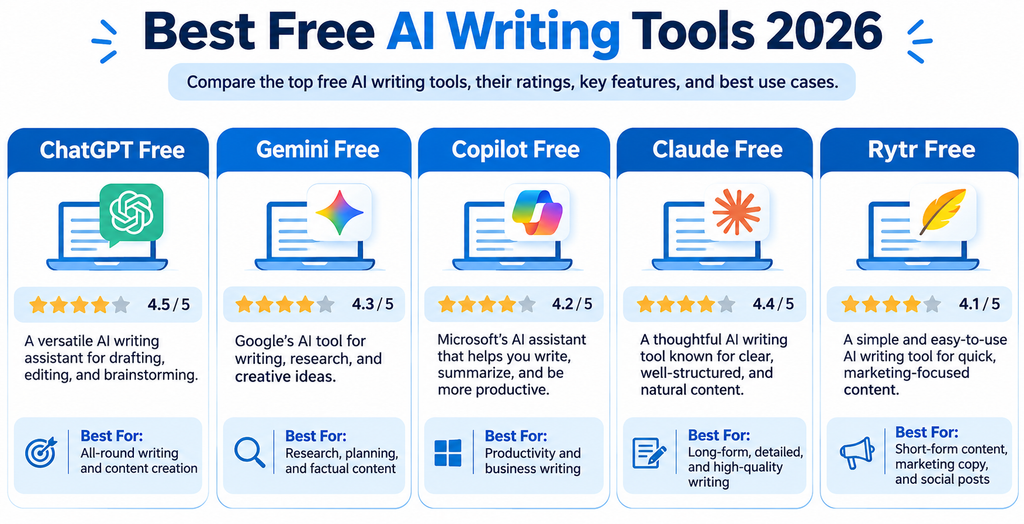
Tool 1: ChatGPT Free Plan
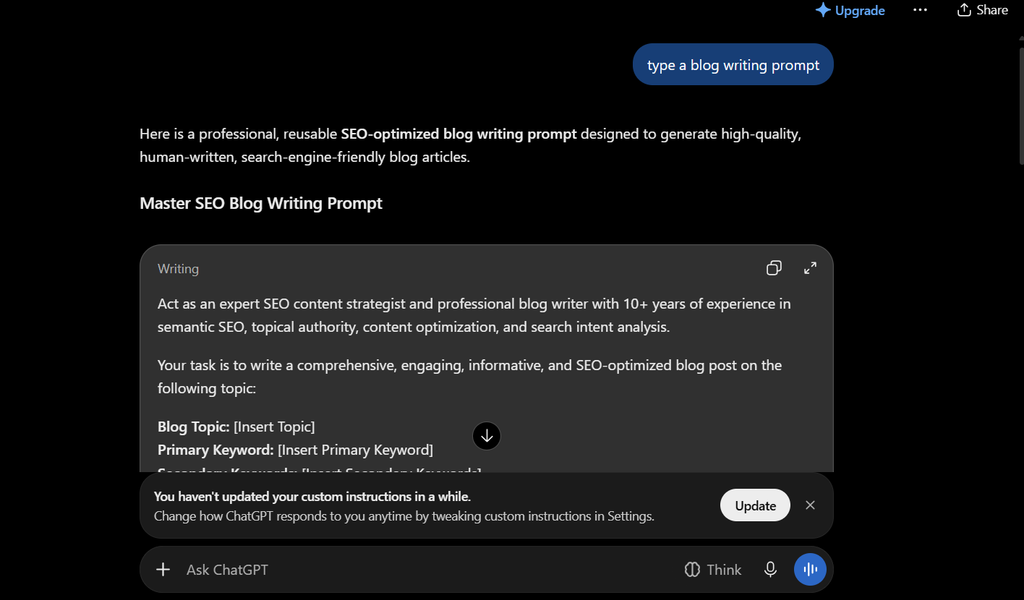
Still the one everyone starts with. And honestly? For good reason.
The free plan runs on GPT-4o mini now (as of mid-2026), which is a real step up from what it used to be. It handles blog outlines, intro paragraphs, FAQ sections, social captions — all of it competently. Not brilliantly, but competently.
The limit is 10-15 messages per session before it starts throttling you to the slower model. Which is annoying. But if you’re doing what I recommended in How to Use ChatGPT to Write a Blog Post — building section by section rather than dumping the whole article into one prompt — you’ll rarely hit that wall in a single sitting.
What it’s actually good for: Blog outlines, first-draft introductions, FAQ generation, prompt experimentation
What it struggles with: Fact-accuracy on anything recent, staying consistent across a long article, original takes on well-covered topics
Free limit: ~10-15 messages per session, unlimited sessions (but it throttles after heavy use)
Verdict: 4/5 — The best starting point. Period.
Tool 2: Google Gemini Free Plan

Gemini surprised me. The writing quality on the free tier is genuinely solid — cleaner sentence structure than ChatGPT free, slightly less prone to the “confident-but-vague” output that AI tools are known for.
Where it pulls ahead: research-adjacent tasks. Because Gemini has Google Search baked in (on the free tier, with some limits), it can pull in current information in a way ChatGPT free can’t. Ask it to write a blog intro about the latest AI tools and it’ll actually reference things from the past few months. That’s not nothing.
Where it falls short: it sometimes hedges too much. You ask for a direct recommendation and it gives you “it depends.” Useful for nuance. Annoying if you just want a sentence.
What it’s good for: Research-adjacent content, anything where current info matters, long-form structured drafts
What it struggles with: Decisive recommendations, casual conversational tone
Free limit: Generous — daily message cap but high enough for regular blog use
Verdict: 3.8/5 — Underrated, especially if you’re already in the Google ecosystem
Tool 3: Microsoft Copilot (Free)
No sign-in required. That’s already a win.
Copilot sits on top of GPT-4 (Microsoft has an OpenAI partnership), which means the underlying model quality is close to ChatGPT Plus. For free. The catch is that it’s built more for quick queries and search-enhanced answers than for long-form content creation — it works best when you’re doing one task at a time rather than building a full article in a single conversation.
For bloggers who need a quick draft, a fast headline option, or a meta description in a hurry — Copilot is genuinely fast. It also writes pretty naturally without much prompting.
What it’s good for: Quick drafts, social captions, headline brainstorming, meta descriptions
What it struggles with: Multi-turn conversations for building long articles, consistent article tone across sections
Free limit: Unlimited (with slight throttling at heavy use)
Verdict: 3.5/5 — Solid backup tool, especially for quick tasks
Tool 4: Claude Free Plan (Anthropic)
Claude writes differently from the others. Less formulaic. The free plan uses Claude Haiku or Sonnet depending on load — and even on the lighter model, the output reads more naturally than most.
Where Claude genuinely stands out: editing existing content. Paste in something you’ve already written and ask it to make it cleaner, tighten the logic, or adjust the tone — it does this better than any other free tool I tested. It’s also noticeably better at following nuanced instructions. Tell it “avoid passive voice, use short paragraphs, and write like you’re explaining to someone who doesn’t know what LLMs are” — it actually follows that.
The free tier limits are real though. You’ll hit the daily cap if you’re trying to use it as your primary writing tool.
What it’s good for: Editing and refining drafts, following detailed style instructions, long-form reasoning
What it struggles with: Daily usage limits on the free tier, image generation (it doesn’t do it)
Free limit: Daily message cap — best used for focused editing sessions rather than full article builds
Verdict: 3.7/5 — The best free editor. Pair it with another tool for drafting.
Tool 5: Rytr Free Plan
Rytr is the odd one out here because it’s purpose-built for content, not general AI conversation. It has templates — blog intro, product description, AIDA ad copy, email subject line — and you pick one, fill in a few fields, and it generates output in that format.
The free plan gives you 10,000 characters per month. That’s not a lot. But the output quality for short-form content (social captions, email subject lines, short ad copy) is actually good — it understands format in a way general tools don’t always.
For bloggers who mostly write long-form? Rytr’s free plan will run out fast. But for someone who needs a stack of Instagram captions or a few product descriptions alongside their blog content — worth keeping in the toolkit.
What it’s good for: Short-form content, social captions, email copy, ad headlines
What it struggles with: Long-form blog posts — the character cap makes it unworkable for full articles on the free plan
Free limit: 10,000 characters/month (roughly 1,500-2,000 words)
Verdict: 3.2/5 — Niche use case, but genuinely good at what it does
Side-by-Side Comparison
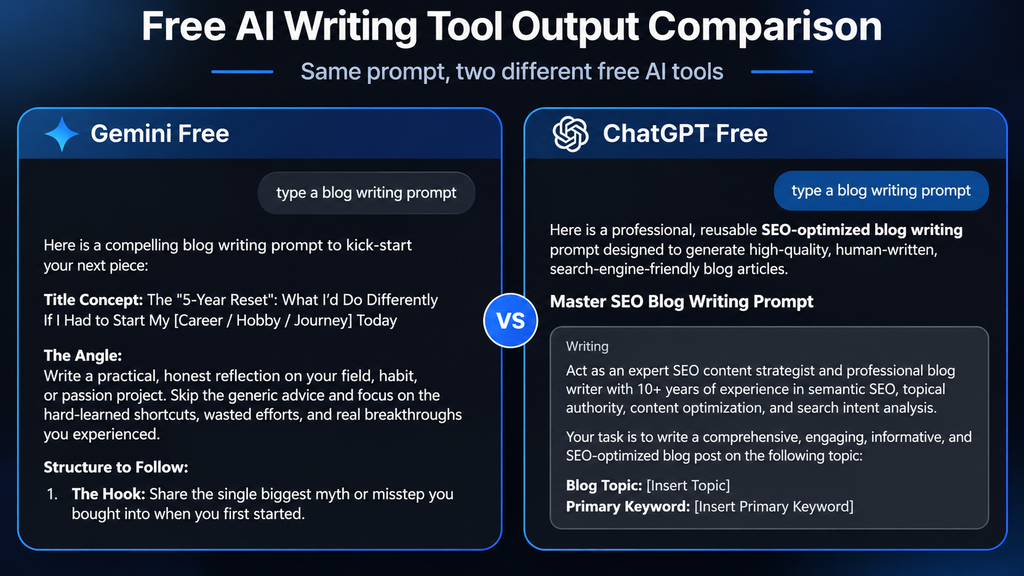
| Tool | Free Limit | Best For | Writing Quality | Rating |
| ChatGPT Free | ~10-15 msgs/session | Blog drafts, outlines | ★★★★☆ | 4/5 |
| Gemini Free | Daily cap (generous) | Research, current info | ★★★★☆ | 3.8/5 |
| Copilot Free | Unlimited (throttled) | Quick tasks, headlines | ★★★☆☆ | 3.5/5 |
| Claude Free | Daily cap (strict) | Editing, tone work | ★★★★☆ | 3.7/5 |
| Rytr Free | 10K chars/month | Short-form copy | ★★★☆☆ | 3.2/5 |
Prices and limits verified October 2026. Check each tool’s website for current plan details.
Which Free AI Tool Should You Actually Pick?
If you’re starting a blog and want one tool: ChatGPT free. It’s the most flexible, the most documented, and the easiest to find tutorials for.
If you’re already blogging and want something for research-heavy content: Gemini free. The Search integration matters.
If you mostly write short-form content alongside your blog: Rytr free for that specific use case, ChatGPT for everything else.
If you want to improve drafts you’ve already written: Claude free — even the limited free tier is enough for editing sessions.
Don’t try to use all five. Pick one primary tool, learn it properly, and add a second one when you have a specific need the first can’t meet.
Related: Best AI Tools for Bloggers in 2026 (Writing, Images, SEO) — this covers paid tools too, plus the best AI image and SEO tools for a complete blogging stack.
FAQ
Is the ChatGPT free plan good enough for blogging? Yes, with caveats. It handles outlines, intros, FAQ sections, and short drafts well. Where it falls short is long multi-section articles in a single session — you’ll hit the throttle limit. Build your articles section by section and you’ll get more out of it.
Do any of these free tools have plagiarism risks? AI tools generate original text — they don’t copy-paste from sources. But overlapping phrases with other AI-generated content do happen, especially on generic topics. Run anything you’re publishing through Copyscape or Grammarly’s plagiarism checker before it goes live.
Will Google penalize me for using free AI tools? No. Google evaluates content quality, not the tool used to create it. An article written with a free AI tool that’s been properly edited, fact-checked, and enhanced with real experience is not at risk.
What’s the best free AI tool for non-native English writers? Claude and Gemini both handle nuanced phrasing well and follow tone instructions reliably. Either is a good pick for writers who want to write in natural English and then refine their own drafts.
Can I use multiple free AI tools together? Yes — and it’s actually a smart workflow. Use ChatGPT to build the outline and draft, Claude to edit and tighten, and Gemini to check for anything current. Just don’t pay for three tools when one will do.
Wrapping Up
Free AI writing tools have gotten genuinely good. Not “impressive for free” good — just good. The gap between the free tier and paid is real but it’s not dealbreaking for a blogger publishing 2-4 articles a month. Start free. Learn the tool. Upgrade only when you’re consistently hitting limits and the output is actually saving you time.
The tool isn’t what makes your blog good. The editing, the real experience you add, the fact-checking before you hit publish — that’s what makes it good.
What to Read Next
- How to Use ChatGPT to Write a Blog Post (Step-by-Step) — put the best free tool to work with a proper process
- What Is Prompt Engineering? A Beginner’s Guide — get significantly better output from any free tool by writing better prompts
- How to Write SEO Blog Posts with AI (Without Getting Penalized) — the workflow that keeps your AI-assisted content Google-safe
- The AI Content Writing Checklist: 15 Things to Do Before You Hit Publish — run every post through this before it goes live